Rnk
Members
-
Joined
-
Last visited
Everything posted by Rnk
-
When you play on Warmane server "Onyxia" and you can queue bgs from pressing H and choice random bg or whatever bg u wanna join. How can you make the bot do that? Or u still need to go to town and stand near pvp npcs?
-
I disabled it all, still not working. But nvm got the account banned so not using it anymore xD
-
8 Apr 2023 20H53.log.html 8 Apr 2023 20H53.log.html
-
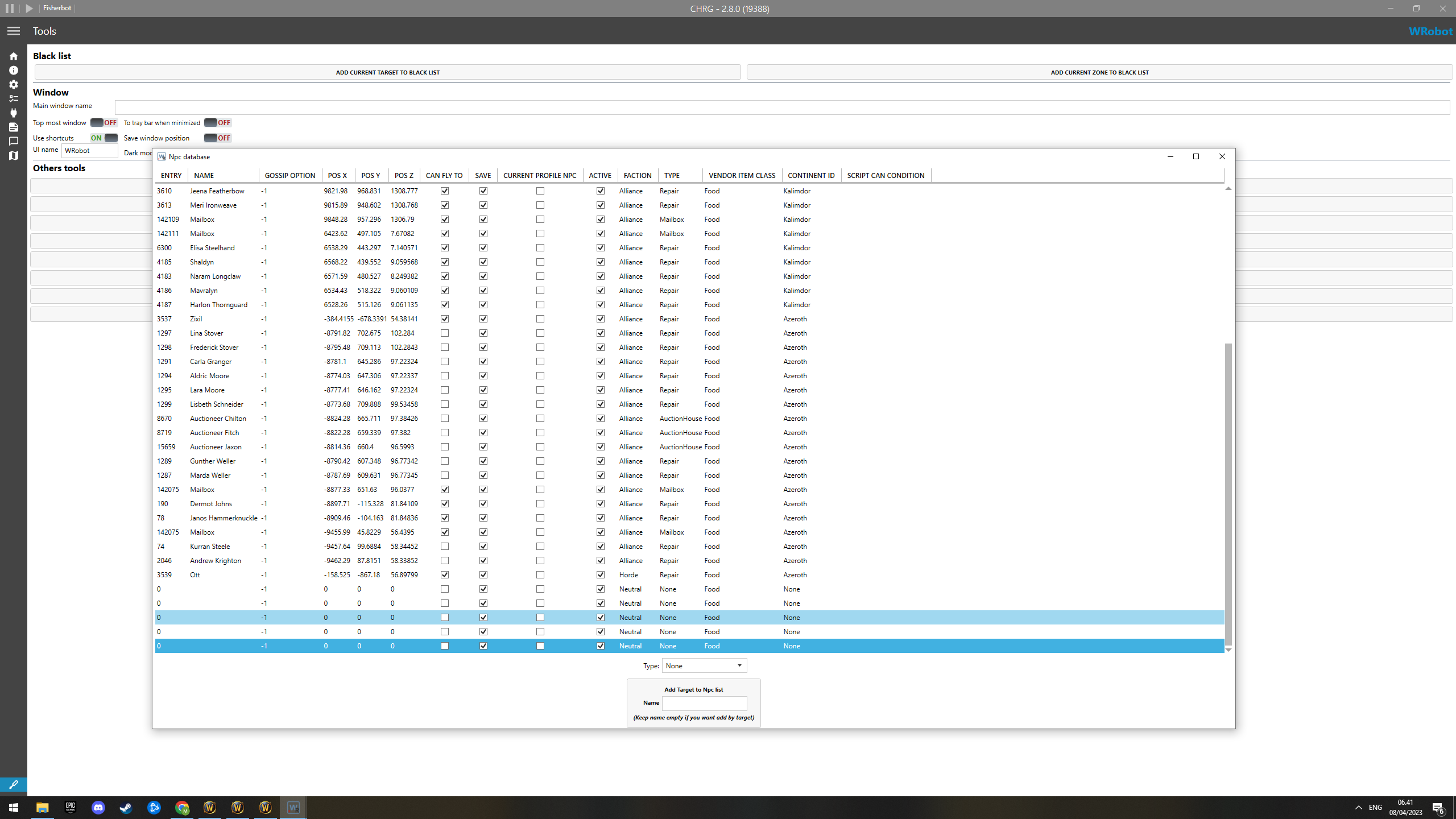
So now my character runs to town sell stuff i got on my list to vendor, after that he runs to the mail box but he don´t send items to the other alt character I got I put on the mail list. Now he just stand at mail box for xx seconds then goes back to vendor and then just try to spam endless fishing :?
-
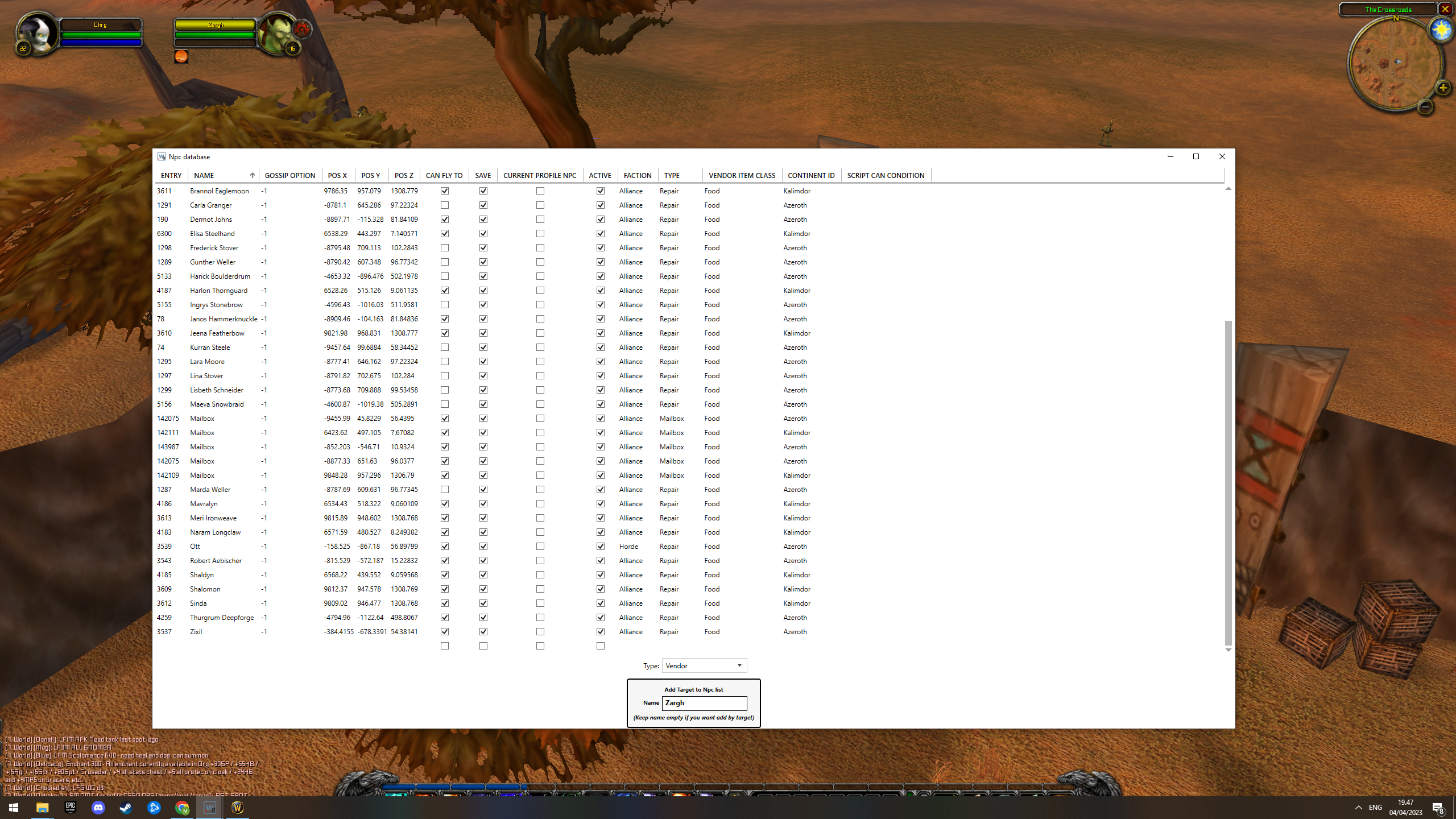
ok i tried, will see if it works or not, otherwise i´ll get back to you here 🙂 btw this is how it looks like when i add the npc and mail box.
-
I go into those options i choose the npc name and click enter, nothing happens :? Also how did i fix the send fish to alt by mail? it´s also not working along with the sell to npc.
-
General settings-Enter advanced settings-other options- Add NPCs vendor, that´s the one you mean, then yes, if not then no. Where i find it then? Also it wont send my fish to my alt that i put into the program under settings :? Here is my log btw 🙂 So again when my bags are full and i catch something i just have the loot window stayed open for 1-2 sec then close it and try fish again. no going to town to sell stuff to vendor or mail the fish i put on list to my alt... 3 Apr 2023 19H44.log.html 3 Apr 2023 19H44.log.html
-
Thanks working. But now something else is not working :! When the fishing bot is running and at some point my bags get full, the bot just keep try fishing. It doesn´t go to town to sell/send items to alt. that i put options to.
-
I installed the program and updated it to vanilla wow. When i go to a lake with fishing weapon on and use the program it just keep casting the fishing nothing else. i works with tbc not but in vanilla? anyone can help?
-
Thanks a lot! It worked :)! Uhm now I got another question, how I que' for raid finder with the bot? /cheers :)
-
No still says the same when I try run the bot... Please select game Process and connect to the game.. But im already in the game.. and if I press ok, it will just try open wow in 32x again, and same thing happen so? And no firewall is off and havn't deleted the file so.. Any other suggestions ? =)
-
Hello all! not sure if this is the right place to post this but... I just bought the bot for wow, and I updated it and all that! So now when I try login with the bot it won't..? anyone can help me? This is what my log says : [D] 17:10:22 - Log file created: 16 Oct 2014 17H10.log.html [D] 17:10:22 - WRobot Version: 1.3.1 for wow: 6.0.2_19033 [D] 17:10:22 - Offical website: http://wrobot.eu/ [D] 17:10:22 - Operating System Details: Microsoft Windows NT 6.2.9200.0 [D] 17:10:22 - Lang: English (United States) [E] 17:10:22 - RefreshProcessList(): System.IO.FileNotFoundException: Could not load file or assembly 'MemoryRobot.dll' or one of its dependencies. The specified module could not be found. File name: 'MemoryRobot.dll' at wManager.Wow.Memory.IsGoodVersion(Int32 processId) at WRobot.LoginWindow.uaM6XtOIvt() [E] 17:10:26 - RefreshProcessList(): System.IO.FileNotFoundException: Could not load file or assembly 'MemoryRobot.dll' or one of its dependencies. The specified module could not be found. File name: 'MemoryRobot.dll' at wManager.Wow.Memory.IsGoodVersion(Int32 processId) at WRobot.LoginWindow.uaM6XtOIvt() [E] 17:10:27 - RefreshProcessList(): System.IO.FileNotFoundException: Could not load file or assembly 'MemoryRobot.dll' or one of its dependencies. The specified module could not be found. File name: 'MemoryRobot.dll' at wManager.Wow.Memory.IsGoodVersion(Int32 processId) at WRobot.LoginWindow.uaM6XtOIvt() [E] 17:10:54 - RefreshProcessList(): System.IO.FileNotFoundException: Could not load file or assembly 'MemoryRobot.dll' or one of its dependencies. The specified module could not be found. File name: 'MemoryRobot.dll' at wManager.Wow.Memory.IsGoodVersion(Int32 processId) at WRobot.LoginWindow.uaM6XtOIvt() [E] 17:11:33 - RefreshProcessList(): System.IO.FileNotFoundException: Could not load file or assembly 'MemoryRobot.dll' or one of its dependencies. The specified module could not be found. File name: 'MemoryRobot.dll' at wManager.Wow.Memory.IsGoodVersion(Int32 processId) at WRobot.LoginWindow.uaM6XtOIvt() [E] 17:11:34 - ResetConfigWowThread(): System.TypeInitializationException: The type initializer for 'wManager.Wow.Memory' threw an exception. ---> System.IO.FileNotFoundException: Could not load file or assembly 'MemoryRobot.dll' or one of its dependencies. The specified module could not be found. at robotManager.MemoryClass.Hook..ctor(Int32 processId, UInt32 detourAddress, Byte[] originalBytes) at wManager.Wow.Memory..cctor() --- End of inner exception stack trace --- at wManager.Wow.Helpers.ConfigWowForThisBot.H7qh8t6yVP()
-
I just bought mmorobot/Wrobot, it just updated and all should be fine, but when i launch it, it says : Please select a game process and connect to the game, but im allready in the game so? this is what my log says [D] 17:10:22 - Log file created: 16 Oct 2014 17H10.log.html [D] 17:10:22 - WRobot Version: 1.3.1 for wow: 6.0.2_19033 [D] 17:10:22 - Offical website: http://wrobot.eu/ [D] 17:10:22 - Operating System Details: Microsoft Windows NT 6.2.9200.0 [D] 17:10:22 - Lang: English (United States) [E] 17:10:22 - RefreshProcessList(): System.IO.FileNotFoundException: Could not load file or assembly 'MemoryRobot.dll' or one of its dependencies. The specified module could not be found. File name: 'MemoryRobot.dll' at wManager.Wow.Memory.IsGoodVersion(Int32 processId) at WRobot.LoginWindow.uaM6XtOIvt() [E] 17:10:26 - RefreshProcessList(): System.IO.FileNotFoundException: Could not load file or assembly 'MemoryRobot.dll' or one of its dependencies. The specified module could not be found. File name: 'MemoryRobot.dll' at wManager.Wow.Memory.IsGoodVersion(Int32 processId) at WRobot.LoginWindow.uaM6XtOIvt() [E] 17:10:27 - RefreshProcessList(): System.IO.FileNotFoundException: Could not load file or assembly 'MemoryRobot.dll' or one of its dependencies. The specified module could not be found. File name: 'MemoryRobot.dll' at wManager.Wow.Memory.IsGoodVersion(Int32 processId) at WRobot.LoginWindow.uaM6XtOIvt() [E] 17:10:54 - RefreshProcessList(): System.IO.FileNotFoundException: Could not load file or assembly 'MemoryRobot.dll' or one of its dependencies. The specified module could not be found. File name: 'MemoryRobot.dll' at wManager.Wow.Memory.IsGoodVersion(Int32 processId) at WRobot.LoginWindow.uaM6XtOIvt() [E] 17:11:33 - RefreshProcessList(): System.IO.FileNotFoundException: Could not load file or assembly 'MemoryRobot.dll' or one of its dependencies. The specified module could not be found. File name: 'MemoryRobot.dll' at wManager.Wow.Memory.IsGoodVersion(Int32 processId) at WRobot.LoginWindow.uaM6XtOIvt() [E] 17:11:34 - ResetConfigWowThread(): System.TypeInitializationException: The type initializer for 'wManager.Wow.Memory' threw an exception. ---> System.IO.FileNotFoundException: Could not load file or assembly 'MemoryRobot.dll' or one of its dependencies. The specified module could not be found. at robotManager.MemoryClass.Hook..ctor(Int32 processId, UInt32 detourAddress, Byte[] originalBytes) at wManager.Wow.Memory..cctor() --- End of inner exception stack trace --- at wManager.Wow.Helpers.ConfigWowForThisBot.H7qh8t6yVP()