AudreyH
Elite user
-
Joined
-
Last visited
Everything posted by AudreyH
-
-
-
-
-
-
-
-
-
Salut, Pas de deco pour moi. Tu restes sur place, ou tu utilise un profile? Cdt
-
Hello, Reinstall WRobot. You can download pre-installed version here. Cheers
-
Preview of my selfless holy pala healer :) why selfless ? because it's simple and a paladin needs to judge ;) i make decent heal in lfr and flex with my 540 holy paladin i made this to run with the wrotation module, so most of the spell are "combat only = false" i will make some test with the party module and change it a little bit Screenshot for the glyphs and talent
-
Hi, More on this :) I'm using "wrotation" and not "party" to use my profile ( i will post it in the profile section too) I add this for the judgement: <FightClassSpells> <FightClassSpell> <SpellName>Judgment</SpellName> <FightClassConditions> <FightClassCondition> <ContionType>LuaScript</ContionType> <Param xsi:type="FightClassConditionLua"> <LuaScript>ret = 1; TargetLastEnemy();</LuaScript> <VarRet>ret</VarRet> <ValueRet>1</ValueRet> </Param> </FightClassCondition> <FightClassCondition> <ContionType>TargetDistance</ContionType> <Param xsi:type="FightClassConditionNumber"> <Type>SmallerOrEqual</Type> <Value>30</Value> </Param> </FightClassCondition> </FightClassConditions> <Priority>8</Priority> <CombatOnly>false</CombatOnly> <Debug>true</Debug> </FightClassSpell> and never proc until i modify <CombatOnly>false</CombatOnly> and now it's ok I will make test with the party module and with the combatonly = true I think in Wrotation the Combat mode is not detected for a healer
-
I'm trying a new paladin holy profile But i have a problem. He cast "Flash of light " on a target with less than 90% life, thats is ok But i want him to cast Judgement on the boss, but the focus remains on the guys who i was healing. How can i judge for example the target of a tank , or the target of someone who is "focalised" Thxs in advance
-
Hi, we are working on a customizable battle pet addon
-
It's the beginning of a great Adventure :)
-
Great profile, i use it for leveling, the only thing i've added Mortal Strike before Heroic strike to maximize damage ( at level 13 lol )
- 15 comments
- 3 reviews
-
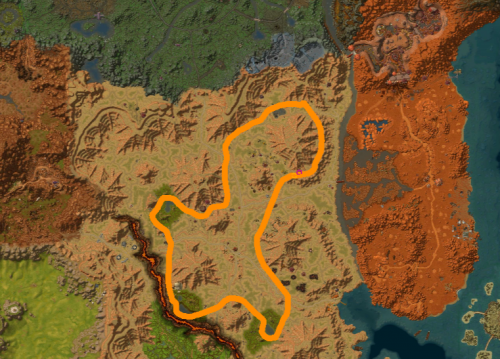
Feralas - Skinning - 200 275 Yeti in the cave south Dire Maul
-
Skinning 135 200 with gnome knive East from Menethil, a lot of raptor
-
autant pour moi, j'ai lu minage, pas prospection lol j'essaie ca avec mon Joa
-
Bonjour tu a quel niveau en prospection? quel profile utilises tu? peux tu envoyer la log du profil utilisé stp? Cdt AH
-
I love this "Less wifeaggro" :)
-
You can't use party bot + BG bot at the same time
-
It will be nice, if wrobot can follow an ally ( one with high hp), to make bg in heal
-
-
Droidz powa