Danskunator
Members
-
Joined
-
Last visited
Files posted by Danskunator
-
- 65 Downloads
Submitted -
Good pvp fighting profile for MM Hunter.
These talents are for the best damage output. If you like me to do changes, let me know, but i have done the best damage with this setup.
The profile does:
Use "Sidewinders" as often as possible together with "Marked Shot"
Fil up the cooldown times with "Aimed Shot"
Use "Binding Shot" to stun moving enemies
Use "A Murder of Crows" off cooldown
Bot interupts enemy casting with "Counter Shot"
Bot uses "Disengage" if enemies are close
Bot uses "Tar Trap" and "Flare" in enemy groups.
Bot uses artifact off cooldown
Bot also uses defensives when taking high damage.
These are the PvP talents which i have chosen. I have human hunter so i have the human racial like a second trinket. I have optimized the human racial to the fighting class.
This profile does:
Use "Spider Sting" if "Counter Shot" is on cooldown and the enemy target is casting.
You may want to use T.N.T. instead of "Hi-Explosive Trap" because bot doesnt really do anything with that.
I hope you guys like this, it's very simple, but works great.- mm
- hunter
- marksmanship
- danskunator
-
Tagged with:
- 289 Downloads
Updated -
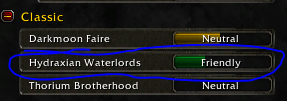
Hydraxian rep farm. Simple farm, easy terrain so bot wont get stuck. My first creation i hope you all enjoy it. Remember to untick the "loot mobs" box so the rep farming will be faster.
- 72 Downloads
Submitted -
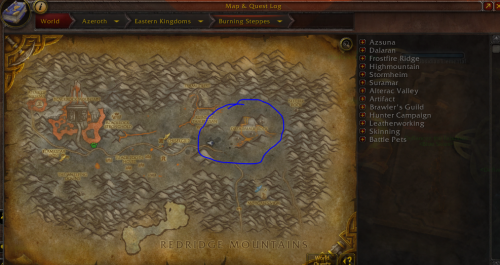
Super simple hydraxian rep farm, my first upload and still working on it. Remember to untick the "loot mobs" button and the bot will do the rest. The starting area/farm area is market on the photo.
- 48 Downloads
Submitted