Leetkangaroo
Members
-
Joined
-
Last visited
Everything posted by Leetkangaroo
-
Fury warrior fight class made with my template https://wrobot.eu/files/file/1755-free-source-fightclass-template/ May have some bugs as I havn't used it for a while... Should work for arms as well if you change the ability names out.
-
Here is my fight class template that I wrote for building multiple fight classes. Allows for the easy creation of fight classes by simply adding a new spell or ability to the LoadAbilities method in ClassManager.cs
-
I think there is some legitimacy to the allegation that the guys over at ND have some way to detect machines. I remember reading some stuff over at ownedcore whereby some guy had found a way to run his own code via the warden module. Or something along those lines... That same guy also helped with security at elysium. I don't trust them personally.
-
I'm not sure although those videos, imo, should be seen as a means for creating better plugins which are aimed at detecting shittards who go around acting like the server police.
-
Botted straight to 54. I was going to stop at 55 but tbh reading this thread got me a bit scared lol. Found a really sweet and quiet spot for 48+. I do run my own plugins which are engineered towards ban prevention.
-
I'm about to hit level 54. I'm only running a single account though. One funny thing that did happen, At around level 40, I received an in-game mail from another user stating that he has evidence of me botting (Screenshots and video) and that if I don't send $30 to his email "He'll get me banned". I just ignored him and hoped for the best. Worked out so far. Seems there are a lot of do-goody bot hunters on Northdale.
-
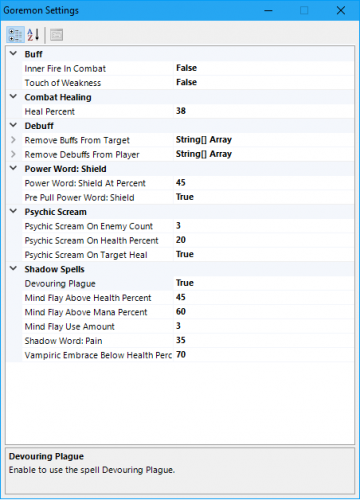 Decided to release my priest fight class for free as I'm discontinuing use of wRobot. The fight class is highly customizable and should get you from 1-60. Basic rotation: Mind blast Shadow Word: Pain Vampiric Embrace Mind Flay Wand Supports situational use of Psychic Scream, heals and shields. Can both debuff the target and your character. Proper management of the global cooldown when using instant cast spells. Buff support. Written in C# :)
- 2 comments
- 2 reviews
-
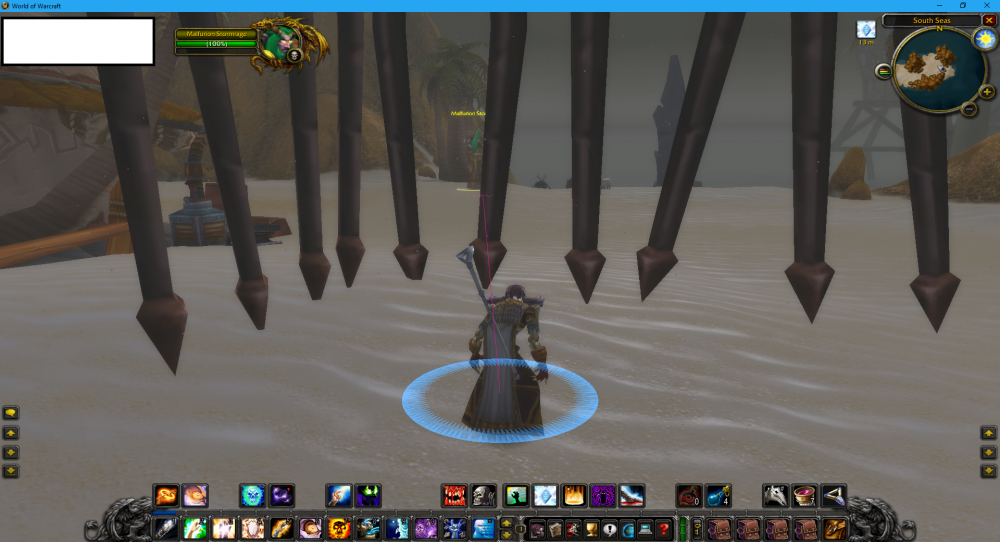
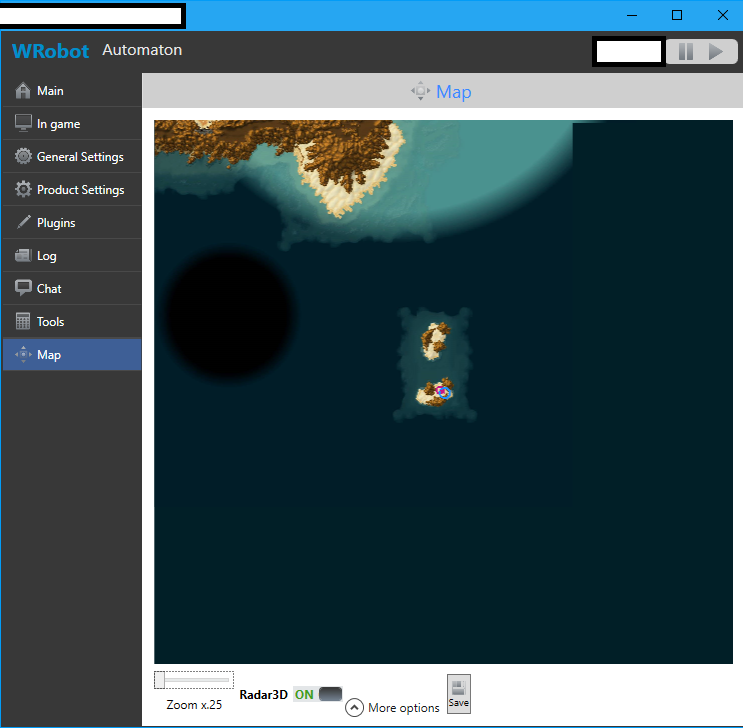
Can confirm a temp ban is 30 days. Had a character of mine unbanned recently. I logged in to some strange cage on an island that looks like it's south of Tanaris. I'm guessing some GM teleported me there, bot closed WoW and he banned. Island looks interesting doe... Lol.
-
Thanks. Can confirm this is no longer an issue for me now.
-
This post describes the problem perfectly. It is not an issue to cast Shadowform or to cancel Shadowform. The bot cancels Shadowform when dismounting.
-
I have just noticed this issue with my shadow priest. When dismounting, for some reason the bot also removes Shadowform? My fight class recasts Shadowform although that is not a fix. WRobot shouldn't remove Shadowform in the first place... Droidz can you reply to this thread?
-
Thanks for your input.
-
Did some searching but couldn't find anything relevant. Has anybody had any success in training only specific spells at a class trainer? Perhaps, Droidz, you could post the code inside: Trainer.TrainingSpell(); So maybe we could improve on it? When you're botting a new character in Vanilla, you generally only learn spells that you absolutely need to save gold for a mount. Plus learning every single spell in under one second looks dodgy as fuck.
-
This is still a problem. Could you make the time out variable accessible so we could at least program it ourselves?