




fengshibang
-
Joined
-
Last visited
Posts posted by fengshibang
-
-
-
1 hour ago, dmxf said:
HI,Droidz
Now there are many servers that prevent Bot from being linked to games by modifying the process name of World of Warcraft.
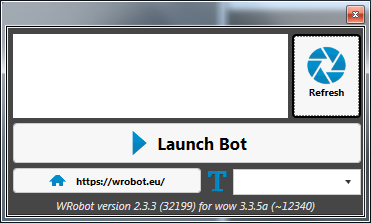
 3/5000Like this,So WRobot cannot find the process.What is the solution to this problem?
Waiting for answer
-
-
-
-
-
19 hours ago, Droidz said:
If you use lua, you can try code like
if DEFAULT_CHAT_FRAME then
	local c=DEFAULT_CHAT_FRAME:GetNumMessages()
	for i=1,c do
		local msg = DEFAULT_CHAT_FRAME:GetMessageInfo(i)
		if msg then
			YOUR CODE HERE
		end
	end
end
If message are display in WRobot tab "Chat" you can also use wrobot class Channel (sample: https://wrobot.eu/forums/topic/4802-mage-portal-bot/ )
--[[ Options start here ]] local M="CHAT_MSG_SYSTEM" function MS(msg) SendChatMessage(msg) end function yz() if (event==M) then local zj=string.find(arg1, "答题时间") if(zj) then end local s1=arg1 local zj=string.find(s1, "+") if(zj) then local s=arg1 local z="+" local y="?=" local param1, param2 = string.find(s, z) local m = string.len(s) s=string.sub(s,param2+1) local ts = string.reverse(s) local param1, param2 = string.find(ts, y) local m = string.len(s) - param2 + 1 local hou if (y == false) then hou = string.sub(s, m+1, string.len(s)) else hou = string.sub(s, 1-1, m-1) end local s=arg1 local z=":" local y="+" local param1, param2 = string.find(s, z) local m = string.len(s) s=string.sub(s,param2+1) local ts = string.reverse(s) local param1, param2 = string.find(ts, y) local m = string.len(s) - param2 + 1 local qian if (strchar == false) then qian = string.sub(s, m+11, string.len(s)) else qian = string.sub(s, 1+10, m-1) end print(qian,"+",hou,"=",qian+hou) MS(tostring(qian+hou)) else local s=arg1 local z="-" local y="?=" local param1, param2 = string.find(s, z) local m = string.len(s) s=string.sub(s,param2+1) local ts = string.reverse(s) local param1, param2 = string.find(ts, y) local m = string.len(s) - param2 + 1 local hou if (strchar == false) then hou = string.sub(s, m+1, string.len(s)) else hou = string.sub(s, 1-1, m-1) end local s=arg1 local z=":" local y="-" local param1, param2 = string.find(s, z) local m = string.len(s) s=string.sub(s,param2+1) local ts = string.reverse(s) local param1, param2 = string.find(ts, y) local m = string.len(s) - param2 + 1 local qian if (strchar == false) then qian = string.sub(s, m+10, string.len(s)) else qian = string.sub(s, 1+10, m-1) end print(qian,"-",hou,"=",qian-hou) MS(tostring(qian-hou)) end end end local F=CreateFrame("Frame") F:SetScript("OnEvent",yz) F:RegisterEvent(M) -
19 hours ago, Droidz said:
If you use lua, you can try code like
if DEFAULT_CHAT_FRAME then
	local c=DEFAULT_CHAT_FRAME:GetNumMessages()
	for i=1,c do
		local msg = DEFAULT_CHAT_FRAME:GetMessageInfo(i)
		if msg then
			YOUR CODE HERE
		end
	end
end
If message are display in WRobot tab "Chat" you can also use wrobot class Channel (sample: https://wrobot.eu/forums/topic/4802-mage-portal-bot/ )
My version of the game is 2.4.3. This statement does not work properly:DEFAULT_CHAT_FRAME:GetMessageInfo(i).I checked some plug-ins written by others.His solution is to make a wow plug-in. This event
"CHAT_MSG_SYSTEM"
is used, and then the text is in arg1. How can wrobot extract arg1 to get the text?
-
-
-
-
-
-
-
-
21 minutes ago, Mykoplazma said:
You can always detect the pop up if pop up - screenshot, cut the screenshot, make an ocr etc etc send proper accept or decline. You can get free ocr programs like tessreact ocr and prase the screenshot.
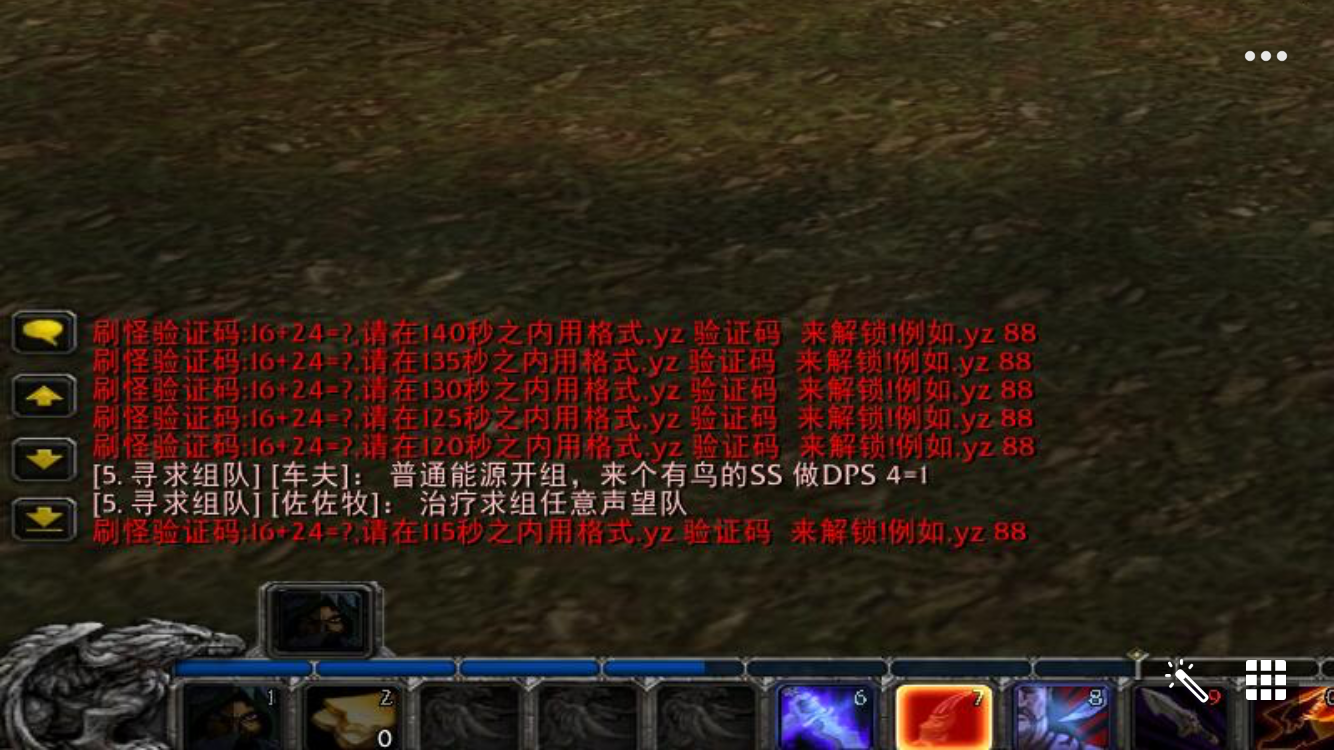
So the answer is on the chat channel.
-
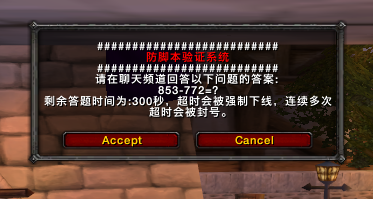
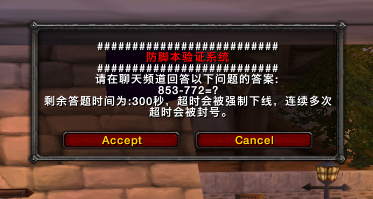
Please answer the following questions on the chat channel:853-772=?
The remaining time for answering questions is 300 seconds.
Overtime will be forced to go offline .
for several consecutive times Overtime will be banned.
I translated the words in the picture.
-
-
Some servers will have anti-bot verification systems, just like the following. Pop up a window and ask some simple math questions. If you answer correctly, you can continue playing. If you answer incorrectly or do not answer, you will be kicked off the line. If you answer incorrectly many times, you will be blocked. Could anyone tell me if there is any way to solve this problem?
-
-
-
-
-


Unable to find WOW process
in General discussion
你什么垃圾,不说就不说,哪凉快去哪呆着