




Scotch
Members
-
Joined
-
Last visited
-
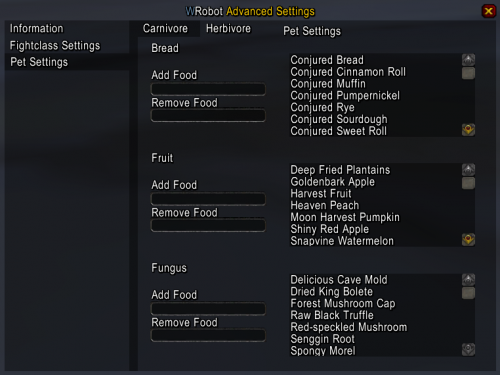 Hi, I changed my pet and now it let it dies all the time because it does not feed the pet. (in the beginning it does, but after 10m or so it stops) I have plenty of foods in my bags and this is not something that happend in the past. Any idea how to solve?
- 166 comments
- 6 reviews
-
oke, its broken, what steps do i need to take to fix the issue?
-
Alright, thanks for the quick reply ill ask hem about it ?
-
I have some problems aswell, im on a new ip (since 08:00) and the message: https://www.screencast.com/t/SfkPuHdZAG keeps popping up. I waited for over one hour and still the message apears? any fix? Thanks!