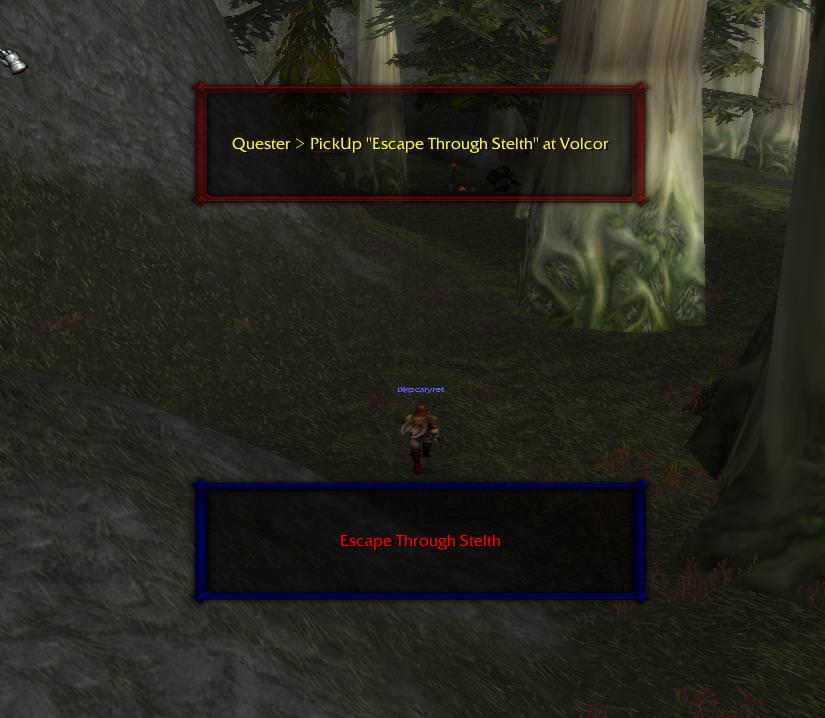
Quickly thrown together plugin that creates a frame in game and shows what your bot is currently doing so you don't have to check the bot status all the time. What's New in Version 1.1 See changelog Released January 11, 20188 yr moved to logging events for correct update intervals 1.1 1.0.0 December 24, 20178 yr 1.0.0 December 24, 20178 yr 1.0.0 December 24, 20178 yr 1.0.0 December 10, 20178 yr
kekail Members January 24, 20188 yr Author stats There are two files to download, are we supposed to activate both?
Matenia Elite user January 24, 20188 yr Author stats No you don't need both files. The dll is enough, the Main.cs is just the source for people who want to look at it.
maverino Members February 23, 20188 yr Author stats Saying file is corrupt. After putting this into my plugin file it removes wrobot from my computer.
mischasln Members June 29, 20187 yr Author stats Is there a way to modify the window's background? I'm using pfUI as a UI replacement and WhatsGoingOn's background turns to white whereas the yellow font color stays the same.
Matenia Elite user December 14, 20187 yr Author stats Don't use addons while botting, especially not texture packs
leastlikely Members February 10, 20197 yr Author stats It is better not to use addons. Otherwise replace WhatsGoingOnFrame:SetBackdrop(StaticPopup1:GetBackdrop()) with WhatsGoingOnFrame:SetBackdrop({ bgFile = [[Interface\Tooltips\UI-Tooltip-Background]]}) WhatsGoingOnFrame:SetBackdropColor(0.2,0.2,0.2,0.8) in main.cs







Recommended Comments
Create an account or sign in to comment