Skip to content
View in the app

A better way to browse. Learn more.

WRobot

A full-screen app on your home screen with push notifications, badges and more.

To install this app on iOS and iPadOS
  1. Tap the Share icon in Safari
  2. Scroll the menu and tap Add to Home Screen.
  3. Tap Add in the top-right corner.
To install this app on Android
  1. Tap the 3-dot menu (⋮) in the top-right corner of the browser.
  2. Tap Add to Home screen or Install app.
  3. Confirm by tapping Install.

Booshy

Members
  • Joined

  • Last visited

Files posted by Booshy

    • 428 Downloads
    Updated
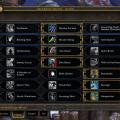
  1. See the talent tree image for setup.

    Don't forget to call your pet~~~
    • 809 Downloads
    • 1 Comments
    Submitted
  2. This grinder starts near Razorbloom in Gorgrond. B)
    • 441 Downloads
    Submitted
  3. Starts at the Garrison Fire.

    Make a loop around killing random mobs.

    Please give feedback!.

    Thanks B)
    • 927 Downloads
    • 1 Comments
    Submitted
    • 928 Downloads
    • 3 Comments
    Submitted
  4. This profile now works in party mode. Make Sure You Set Healer to "NO". This also works as a plain WROTATION. Just click the boss and it will start to heal. This profile requires Selfless Healer, Holy Prism. Works at melee range and at 25 yards. This doesn't cast direct heals only AOE and uses Judgment. You must bind your direct heals and cast them yourself OR you will only AOE. You may need to cast your own Blessing and set your Seal. Please let me know of any bugs!!!!!!!
    • 596 Downloads
    • 3 Comments
    Updated
  5. This pvp prot war profile works well while leveling in bgs.
    • 360 Downloads
    Submitted
  6. leveled to 90 in bgs with the profile.
    • 1009 Downloads
    • 1 Comments
    Submitted
  7. Starts just south of Org in Far Watch Post
    • 433 Downloads
    Submitted
  8. Made this fight class for a grinding low level priest. Only uses Smite, Pain, and Shield
    • 325 Downloads
    Submitted

Account

Navigation

Search

Search

Configure browser push notifications

Chrome (Android)
  1. Tap the lock icon next to the address bar.
  2. Tap Permissions → Notifications.
  3. Adjust your preference.
Chrome (Desktop)
  1. Click the padlock icon in the address bar.
  2. Select Site settings.
  3. Find Notifications and adjust your preference.