
KevinVapes
Members
-
Joined
-
Last visited
-
-
Thanks for your help y'all! Unfortunately link still does not work. Either with WRobot-Update itself (after the message) or here at the download section of WRobot. Also i have it installed already, maybe not the correct one i dont know. EDIT: Nevermind it works now! Deinstalled it, because it was x64. installed latest x86 works now. Thank you all!

-
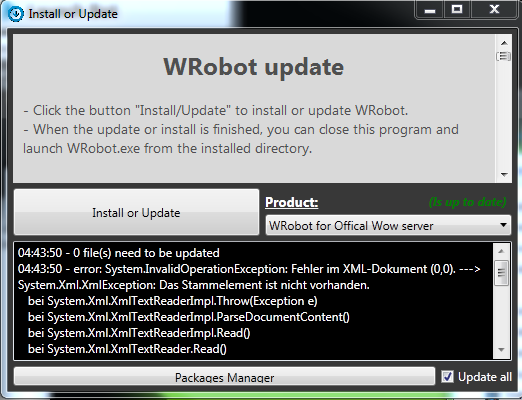
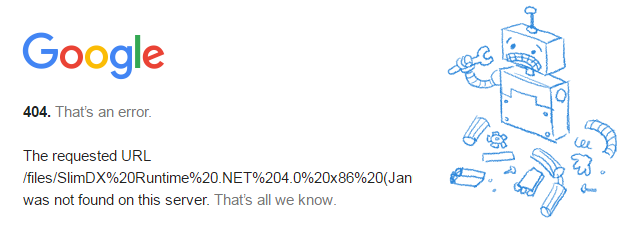
Hey guys, few words to my current situation: Had to format my PC. I saved my WRobot folder and all my profiles. Try to start WRobot it says it found an Update. It will Update 2 files, but brings an Error message (Process wrobot.dll already in use) I can show you a screenshot tomorrow. After that it says i need to udpate my directx - when i klick okay it will open the updatesite but the link is not available anymore. Also SlimDX link on the WRobot-Downloadsite is also not available, maybe update it :) I downloaded SlimDX by myself - problem still exists. Help please :) ? EDIT: I also see that the error message in my attached screenshot is not the same anymore. Its an other error.
-
-
Not only that, i can imagine a LOT of huge pathing problems, since the new areas are much edgy, or with a lot of heights and mountains. I was getting stuck alot everywhere troughout the expansion and i was playing manually! If i imagine leaving WRobot running without my supervision i highly doubt it will go well. BUT, im always open for suprises!
-
-
-
-
Just dont mind it. Playing frostmage too and i tried everything, its not possible via fightclass editor. It still casts it a random, its kinda buggy.
-
Well as said before, i am currently botting since 4 hours now
-
Good times. Just for the record i can login now and started my botacc with relogger, i have no problems, WRobot runs just fine, also not hit by any banwave <3
-
I see it the same. They did this in the past though, people were getting 3 free days due to a lot of downtime.
-
Sounds reasonable to me. Good point!
-
How does blizz loses money by a little offtime? The subs are running anyway, or am i thinking wrong?
-
I dont understand the message behind those attacks... what are they trying to proof?
-
LizardSquad?
-
Thought so. How can a big fckin gaming-company like blizzard get down by little script-kiddys DDos-Attacks, i dont get it. Every bullshit-company is DDos-Secured.
-
Has to do with BNet-itself i guess. I have huge login problems since yesterday and get DCed while logging in.
-
-
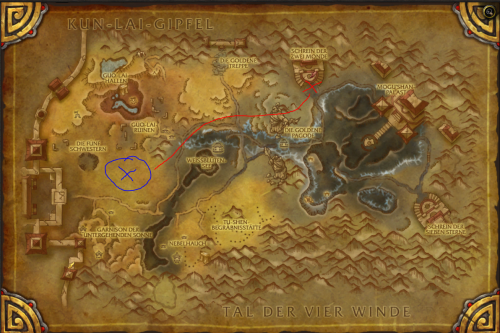 Read my description. Its mentioned there. I dont know how to avoid the tents.
 -
Uploaded an updated Version, which i only tested a couple of hours. Added Pathing instead of Hot-Spots. Im happy for feedback.