demin123
Members
-
Joined
-
Last visited
Everything posted by demin123
-
-
No guildbanks in vanilla.
-
So i just have to hope that they don't look at my log's? And if they are Im fucked?
-
thanks captain troll mod
-
What can they see? Can they track post traffic/face to face trades? Whats the safest way to share gold? I would appreciate some tips, thanks guys
-
Feralas, 43-48 start at The Wirthing Deep Bot state: GrindingKills: 95(83/hr)Deaths: 0(0/hr)Stucks: 1(0/hr)Farms: 0(0/hr)Loots: 47(41/hr)Money/HR: 0 G 00 S 00 C (0 G 00 S 00 C)Honor/HR: 0 (0)
-
Siphon Life bugged or is it only me? [Affliction]
-
same problem push
-
-
No Joke got the Mount first try whit this. Very good work! Keep up whit stuff like this.
- 7 comments
- 1 review
-
-
-
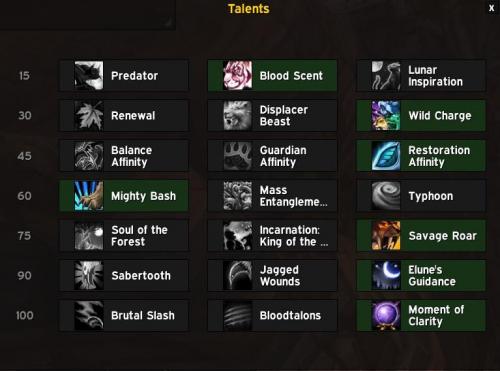 doesent use Moonkinform? why