




Skip to content
View in the app

A better way to browse. Learn more.

WRobot

A full-screen app on your home screen with push notifications, badges and more.

To install this app on iOS and iPadOS
  1. Tap the Share icon in Safari
  2. Scroll the menu and tap Add to Home Screen.
  3. Tap Add in the top-right corner.
To install this app on Android
  1. Tap the 3-dot menu (⋮) in the top-right corner of the browser.
  2. Tap Add to Home screen or Install app.
  3. Confirm by tapping Install.

[Class Quest] Tauren Druid Bear form 1.0.0 1.0.0

(2 reviews)

1 Screenshot

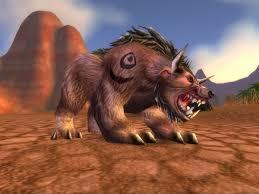
This is the level 10 "Heeding the call" quests for druid to get bearform at level 10.

Starts in Bloodhoof Village and should be full AFK- ends in Thunder Bluff.  For those who have done the quest before, you know its best to be 12+ to AFk it as the end mob hits pretty hard.

A lot of runcode needed to get the bot to/from TB so just let the Bot do its thing- Dont stop it, only pause if you are watching and have to intervene.

If you find a bug let me know and il try fix it- there shouldnt be any issues though.

User Feedback

Recommended Comments

eeny

Elite user

10 minutes ago, (̾●̮̮̃̾•̃̾) ̿ ̿ ‘̿’\̵͇̿̿\ said:

Nice vanilla profile, any chance this work for WOTLK? Thanks!

i haven't tested... but there isn't much harm in trying as long as you are near the bot if it does mess up.

2 hours ago, eeny said:

i haven't tested... but there isn't much harm in trying as long as you are near the bot if it does mess up.

It worked fine until https://wotlk.evowow.com/?quest=5932, my char just tried to go through felwood to get to Thunder Bluff, is it possible to check it out? I'm currently testing last quest https://wotlk.evowow.com/?quest=6002 but it looks like he is headed to the right direction ?
Awesome work tho, thanks!

retrostalgic

Members

Has issues - wouldnt use teleport moonglade-


killed lunaclaw but never talked to it so i have to redo it manually ?

TBC. 

Create an account or sign in to comment

Account

Navigation

Search

Search

Configure browser push notifications

Chrome (Android)
  1. Tap the lock icon next to the address bar.
  2. Tap Permissions → Notifications.
  3. Adjust your preference.
Chrome (Desktop)
  1. Click the padlock icon in the address bar.
  2. Select Site settings.
  3. Find Notifications and adjust your preference.
