




Skip to content
View in the app

A better way to browse. Learn more.

WRobot

A full-screen app on your home screen with push notifications, badges and more.

To install this app on iOS and iPadOS
  1. Tap the Share icon in Safari
  2. Scroll the menu and tap Add to Home Screen.
  3. Tap Add in the top-right corner.
To install this app on Android
  1. Tap the 3-dot menu (⋮) in the top-right corner of the browser.
  2. Tap Add to Home screen or Install app.
  3. Confirm by tapping Install.

[H] [Quest][Depreciated] WoD 63-68 1.0.0

(1 review)

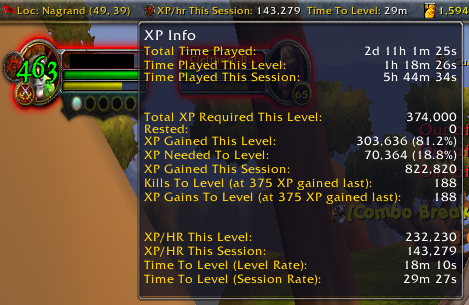
1 Screenshot

CLEAR YOUR QUEST LOG OF ALL QUESTS BEFORE STARTING!! Once the bot hits Nagrand it will pick up 17 quests in a row and it will hang with a full quest log.  Seriously, have 0 quests before starting.

You can start the profile at the shattrath flight master and let the profile go, there are some mesh issue in shattrath so watch the bot leave the city and then its fine. otherwise you may get some blockages early on

Profile does Terokkar and Nagrand, you  want to disable using taxis and define a ground mount- this is not a flying profile.

Quests dry up around 67, so there is a grind portion close to Garadar that will pull you to 68.  The grind will allow you to go to 70, however i recommend turning the bot off before that as running a bot for 12+ hours will get you a ban.

Let me know if you see any issues so i can fix it

 

User Feedback

You may only provide a review once you have downloaded the file.

   1 of 2 members found this review helpful 1 / 2 members

Tested on 3.3.5a. Gets stuck to places where it tries to approach from above to quest givers etc and never continues if a quest isn't there.


Requires to be watched at all times but otherwise works quite good :)

Account

Navigation

Search

Search

Configure browser push notifications

Chrome (Android)
  1. Tap the lock icon next to the address bar.
  2. Tap Permissions → Notifications.
  3. Adjust your preference.
Chrome (Desktop)
  1. Click the padlock icon in the address bar.
  2. Select Site settings.
  3. Find Notifications and adjust your preference.