Droidz
Administrators
-
Joined
-
Last visited
Everything posted by Droidz
-
-
Hello, do you have try to change mount? You get this problem with seveval profiles? This can happen, but it is very rare, and I haven't report of this problem.
-
How, the profile creator can know what npc sell food/drink are used by the character of the user? And when you add vendor/repair in your profile, it is generally the more nearly and WRobot using nearby NPCs.
-
Hello, this version don't works? http://download.wrobot.eu/wrobot/oldversion/WRobot_6.2.3_20886_FINAL.zip
-
Hello, you have normal wrobot subscription, you can run one session of WRobot at a time (you can run WRobot where you want, IP doesn't important to you)
-
-
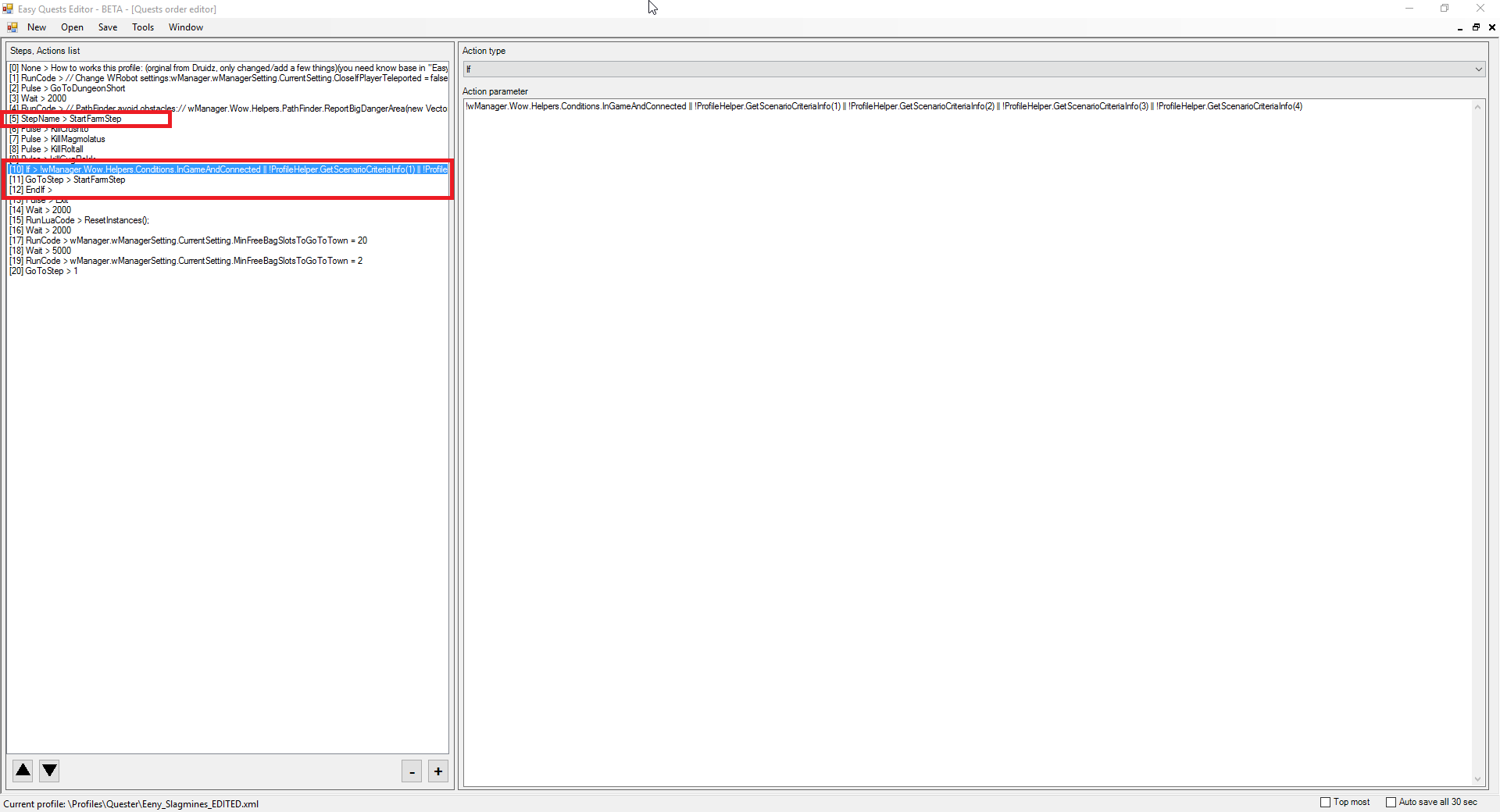
In step I have added step (to check if all scenario step is complete before exit dungeon), if any no complete step, wrobot return to pulse. Eeny_Slagmines_EDITED.xml ps: I have added fake quest (ProfileHelper) with c# function GetScenarioCriteriaInfo (I use this function instead lua code in "Is complete condition")
-
Hello, do you have search if any wow addon is able to add automaticly bag items to your transmo collection?
-
^^ not realy, but I was forced to update a lot of files when I have change settings for 'Automaticly add npc to db..."
-
-
WRobot is up to date, read this and please request help on the forum with your log file.
-
-
If you can give me informations like http://wrobot.eu/forums/topic/3506-bot-attacking-dead-npc/?do=findComment&comment=16808
-
Hello, please contact the owner: http://wrobot.eu/files/file/710-combat-looter-plugin/?tab=comments
-
Hello, try to use lua macro (not code): /click QuestChoiceFrameOption1.OptionButton Or lua code (not macro): (https://github.com/tomrus88/BlizzardInterfaceCode/blob/f53f4cadda882fa4cfce60d9b5ae1e1409faa022/Interface/AddOns/Blizzard_QuestChoice/Blizzard_QuestChoice.lua#L93 ) QuestChoiceFrameOptionButton_OnClick(QuestChoiceFrameOption1) or SendQuestChoiceResponse(1); HideUIPanel(QuestChoiceFrame);
-
-
You can disable in advanced settings tab "path..." the option 'Blacklist Npc/Node if unable to make full path to reach it' but it is risky.
-
Hello, can you share your profile (or send me it by private message) I'll try to fix it.
-
Do you have Npc near? If you click on button go to town tab tools your character continue to farm? Envoyé de mon iPhone en utilisant Tapatalk
-
If you get problem, yes clean your NPC DB, for it, - If you want remove all, closes all WRobot windows, go to folder "\WRobot\Data\" and remove file "NpcDB.xml". - If you want remove only vendors and keep your others NPCs like this (click on "Del" key to remove): 2016-08-21_20-38-27.mp4 After, add vendor of your food/drinkin "NPC DB" or your profil manually.
-
thank you. wait next update
-
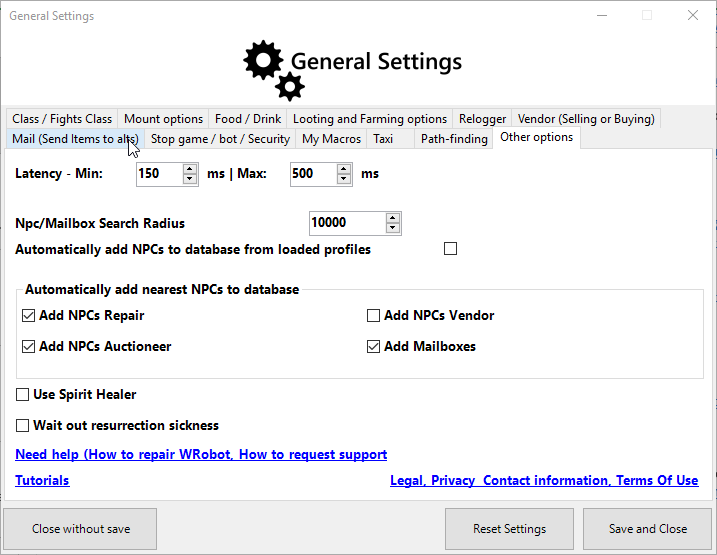
Wait next update, I have changed settings, now you can select npcs at add to database by type (vendors is disabled by default):
-
I have added this option, wait next update.
-
Changed Status to Fixed
-
If you can wait next update, I have added option "To tray bar when minimized" (in relogger general settings and in wrobot tab tools)