




nudl
Members
-
Joined
-
Last visited
-
-
Hey, iirc now, WRobot has a general Problem with this. Sorry.
-
-
I yelled when I saw how smooth it becomes. Can't wait for a non-beta Version.
-
-
Yes, this works for retail too.
-
I said "A Follow Path Quest with Current Quest Completed when at the latest position" That's a specific part for the follow path quests. But nevermind: If you just want to farm the gas clouds, you'll have to create a UseItemOn Quest, add the GasClouds ID (you can find the ID of the clouds via Helper Tools), some spots and as Item the Moteextractor. Edit: The clouds are npcs, aren't they? I don't know if the bot can handle them tbh as I never did something with them.
-
I don't really get what you're trying to do? What has http://www.wowhead.com/item=23821/zapthrottle-mote-extractor to do with http://www.wowhead.com/quest=9640/the-shade-of-aran#comments ?
-
Hey kain7826, it's best if you'd use the Easy Quests Editor. Pulse> A Follow Path Quest with Current Quest Completed when at the latest position and not required in Questlog activated RunMacroLua> /use item:ITEMD Same thing for the other spot. Should be the simpler way.
-
Best workaround imho for this is to just use normal bags instead of the ammo pouch and not worrying about the bonus.
-
Hey Cadbury. Do you by any chance use the Map Feature? This happens randomly for me too and I am too using 800x600 on 1440p. When this happens I normally just close the window and let it relog newly (and deactivate the Map feature.)
-
1.) 2.) 3.) 4.)
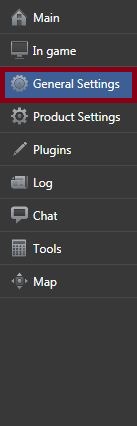
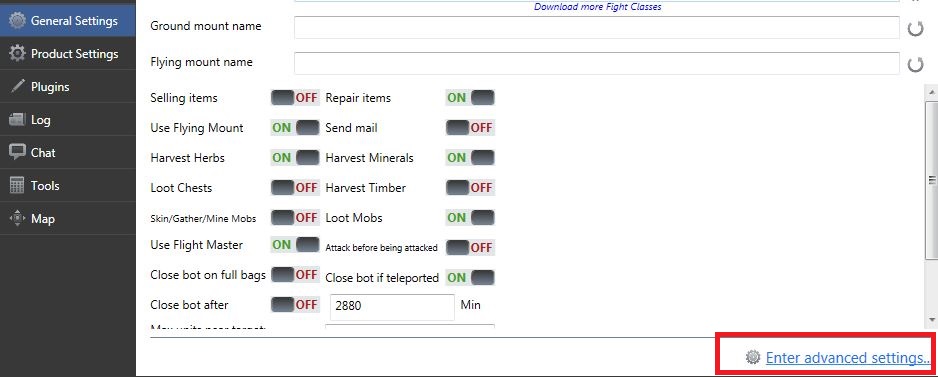
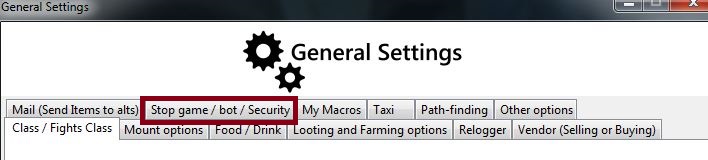

-
You can't use it as a security feature then, but why don't just set it to 99999?
-
nudl replied to (̾●̮̮̃̾•̃̾) ̿ ̿ ‘̿’\̵͇̿̿\'s topic in WRobot for Wow Wrath of the Lich King - Help and supportTry to add Blackspots yourself where the bot get's stuck in the Gatherer Profile. (Profile Creator -> Blacklist) Sometimes there are just such messed up meshes / places where the bot doesn't figure it out by itself.
-
-
-
Hey again. That's the thing. Afaik we (I, atleast) can't be sure about whatever the hearthstone is or is not bound to a certain location - Without making it harder for the user. (Multilanguage, using the Profile at any level, etc...) You caring about quality is very nice, keep up that good trait. :) As you see in the post from Zan, you can read it with <QuestsSorted Action="If" NameClass="Lua.LuaDoString<string>("bindlocation = GetBindLocation(); return bindlocation;") == "Trade District"" /> but that will just work with you localization. So, yes, you can read it and WRobot can do the steps after this, but not without strictly making it for a specific localization. To 4.) There is no such thing as a ObjectManager.Me.BindLocation. You can use some kind of assembly explorer and look into WRobot\Bin\wManager.dll There you can find all there is. Maybe you'll find something helpful. That's as close as to a documentation as you can get. Sorry for not having a straight answer. Greetings.
-
-
You don't need any coords. You just need be near the gong. Over short distance the pathfinder will do the work.
-
The Gong in the Razorfen Downs isn't only a GameObject since it got redesigned, but also a Unit. I've used this two RunCodes one after another: Can't test if they still work though, as I don't do anything on official servers anymore.


