




Skip to content
View in the app

A better way to browse. Learn more.

WRobot

A full-screen app on your home screen with push notifications, badges and more.

To install this app on iOS and iPadOS
  1. Tap the Share icon in Safari
  2. Scroll the menu and tap Add to Home Screen.
  3. Tap Add in the top-right corner.
To install this app on Android
  1. Tap the 3-dot menu (⋮) in the top-right corner of the browser.
  2. Tap Add to Home screen or Install app.
  3. Confirm by tapping Install.

[Class Quest] Night Elf Druid Bear form 1.0.0

(0 reviews)

1 Screenshot

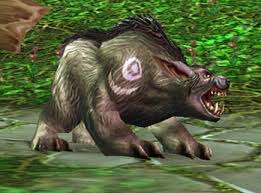
This is the level 10 "Heeding the call" quests for druid to get bearform at level 10.

Starts in Dolanar and should be full AFK- ends in Darnassus.  For those who have done the quest before, you know its best to be 12+ to AFk it as the end mob is lvl 14 and hits pretty hard.

A lot of runcode needed to get the bot from Darn / Auberdine and back so just let the Bot do its thing- Dont stop it, only pause if you are watching and have to intervene.

If you find a bug let me know and il try fix it- there shouldnt be any issues though.

What's New in Version 1.0.0

Released

No changelog available for this version.

User Feedback

Recommended Comments

bio33

WRobot user

You able to create bear quest for Tauren? please

eeny

Elite user

1 hour ago, bio33 said:

You able to create bear quest for Tauren? please

Yeah, im lvling some now to run the quest and test it... should be easy enough.

bio33

WRobot user


8 hours ago, eeny said:

Yeah, im lvling some now to run the quest and test it... should be easy enough.

Thanks, I'm waiting for the news
 

Zerouser

Members

damn, I was creating my own profile, it worked flawlessly, except that darnas teleporter thing, 

   <QuestsSorted Action="RunCode" NameClass="wManager.Wow.Helpers.Move.Forward(Move.MoveAction.PressKey, 2000);" />

thanks a lot :)

retrostalgic

Members

worked well up until it tried to swim back to darn after killing owl guy -_- haha

maukor

WRobot user

Not working anymore for some reason. on STEP: FollowBuggedHouse it runs in wall

Create an account or sign in to comment

Account

Navigation

Search

Search

Configure browser push notifications

Chrome (Android)
  1. Tap the lock icon next to the address bar.
  2. Tap Permissions → Notifications.
  3. Adjust your preference.
Chrome (Desktop)
  1. Click the padlock icon in the address bar.
  2. Select Site settings.
  3. Find Notifications and adjust your preference.