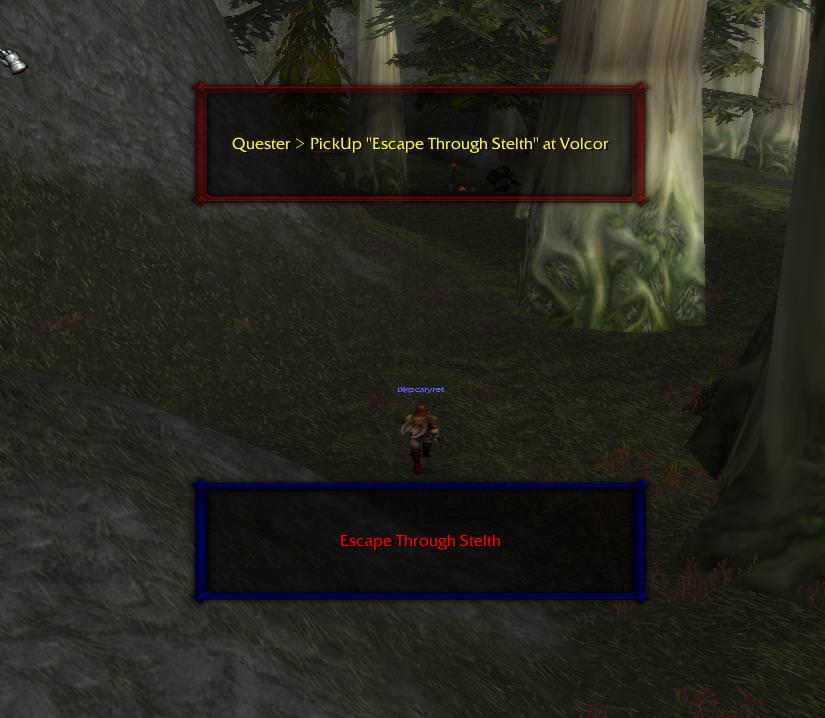
Quickly thrown together plugin that creates a frame in game and shows what your bot is currently doing so you don't have to check the bot status all the time. What's New in Version 1.1 See changelog Released January 11, 20188 yr moved to logging events for correct update intervals 1.1 1.0.0 December 24, 20178 yr 1.0.0 December 24, 20178 yr 1.0.0 December 24, 20178 yr 1.0.0 December 10, 20178 yr
vodkalol April 14, 20224 yr Author stats You can't live without after you start using it. Thanks for sharing.
tonycali January 5, 20188 yr Author stats 1 of 1 member found this review helpful 1 / 1 member Good stuff can finally see whats going on a whole lot ezier.
pecorino December 11, 20178 yr Author stats 1 of 1 member found this review helpful 1 / 1 member Works as advertised!
miminio December 10, 20178 yr Author stats 2 of 2 members found this review helpful 2 / 2 members Tnx Matenia ...working good







You may only provide a review once you have downloaded the file.