




Droidz
Administrators
-
Joined
-
Last visited
Everything posted by Droidz
-
Hello, Currently WRobot cannot buy items (you can only with custom quester or custom profiles), but I'll add this feature. You need to add heal spell in your fightclass (or use regen feature if it isonly out of combat).
-
Hello, Do you use Wow addon? if yes try to disable it. Do you have errors in your WRobot logs?
-
Hello, http://wrobot.eu/forums/topic/1381-repairinstall-wrobot/#comment-966 , if your problem is not resolved, please share your log files.
-
Hello, @BetterSister work on ( http://wrobot.eu/files/file/843-preview-of-paid-azsuna-quester-by-bettersister/ )
-
Hello, Current version of WRobot support Wow 7.0.3 (22624), no update required. Kind regards.
-
Hello, if you can wait next update and tell me if problem is resolved.
-
-
Hello, reply by private message.
-
Bonjour, http://wrobot.eu/forums/topic/3633-getting-started-with-wrobot-video/ . Vous avez téléchargé et installé une Fightclass?
-
Hello,.To disable dig site, uncheck column name "Active".
-
I have fixed slimdx link. And try to update Framework
-
Bonjour, pas pour le moment. Vous pouvez utiliser le bot "Grinder" ou "Automaton"
-
-
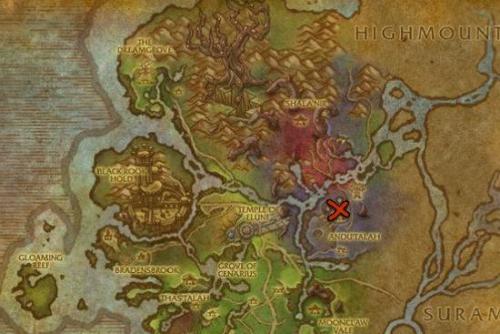 100-110 Val'sharah (Shal'dorei Silk farming) Kills http://www.wowhead.com/npc=95138/wormtalon-witch and http://www.wowhead.com/npc=95152/wormtalon-huntress, farming http://www.wowhead.com/item=124437/shaldorei-silk
 -
-
Hello, it is automatic, you can found your license key here: http://wrobot.eu/clients/purchases/
-
Hello, Blacklist zones works in your case? Sorry but no automatic way to avoid area with lava and currently I am not able to add this. Just avoid zones or blacklist it.
-
Hello, use quest type "Override Pulse CSharp Code" with code: var npc = new Npc { Entry = 1247, Position = new Vector3(-5601.6, -531.203, 399.6539), Type = Npc.NpcType.Vendor }; int itemId = 2894; if (GoToTask.ToPositionAndIntecractWith(npc)) { Vendor.BuyItem(ItemsManager.GetNameById(itemId), 1); } return true;
-
-
WRobot use lua fonction "GetBattlefieldTimeWaited()" to check if you are in queue. When you are in queue and you run this macro what is the result: /run DEFAULT_CHAT_FRAME:AddMessage(GetBattlefieldTimeWaited(1))
-
Hello, put this code instead of spell name, and use option spell option 'Not spell, is lua...': local SpellName = GetSpellInfo(109259) for i = 1, 4, 1 do local UnitIdString = "party" .. i .. "target" if UnitExists(UnitIdString) then if GetRaidTargetIndex(UnitIdString) == 8 and IsSpellInRange(SpellName,UnitIdString) then CastSpellByName(SpellName, UnitIdString) return end end end (I have added IsSpellInRange) And add "lua script" condition: Lua script: needToCast=false; local SpellName = GetSpellInfo(109259) for i = 1, 4, 1 do local UnitIdString = "party" .. i .. "target" if UnitExists(UnitIdString) then if GetRaidTargetIndex(UnitIdString) == 8 and IsSpellInRange(SpellName,UnitIdString) then needToCast=true; return end end end Return value research: true Return value var: needToCast To use this code in party chat command just use "Action command type" > "Lua" with the first code of this post. of course, replace 109259 by your spell in in all codes.
-
-
Hello, https://us.battle.net/support/en/article/how-to-toggle-32bit-mode-world-of-warcraft If you problem is not resolved: http://wrobot.eu/forums/topic/1381-repairinstall-wrobot/#comment-966 (don't forget to share your log file)
-
Bonjour, Page 51: http://download.wrobot.eu/wrobot/guides/WRobot guide FR.pdf Pour les profils pêche, enregistrer un chemin le long de l'eau
-
Hello, all your subscriptions has ended.


(Herb).thumb.jpg.03f20755d3e8c1d2ed9da1a04fd5829c.jpg)

(Mine).thumb.jpg.288c624c4a6a1a0783e0559cb5630953.jpg)