




Droidz
Administrators
-
Joined
-
Last visited
Everything posted by Droidz
-
Changed Status to FixedIf you can wait next update and tell me if problem is resolved (I cannot completly ignore path in blacklisted zones, but I have improved it)Bonjour, je ne vais pas ajouter une correction (trop compliqué), le mieux reste de blacklister la zone (sur les deux continents) ou alors d'éviter de faire un profil qui passe proche de c'est zones.Hello, this problem is now resolved http://wrobot.eu/forums/topic/3266-bot-skips-waypoints/?do=findComment&comment=16934Hello, can you give me entry id of object (for it go to tab 'Tools' > 'Development Tools' > 'Dump all informations' (I need 'Entry ID'))http://wrobot.eu/forums/topic/3608-spell-without-gcd/?do=findComment&comment=16697 replace SpellStopCasting(); SpellStopCasting(); by CastSpellByName("Fire Blast")Hello, do you have activate option?
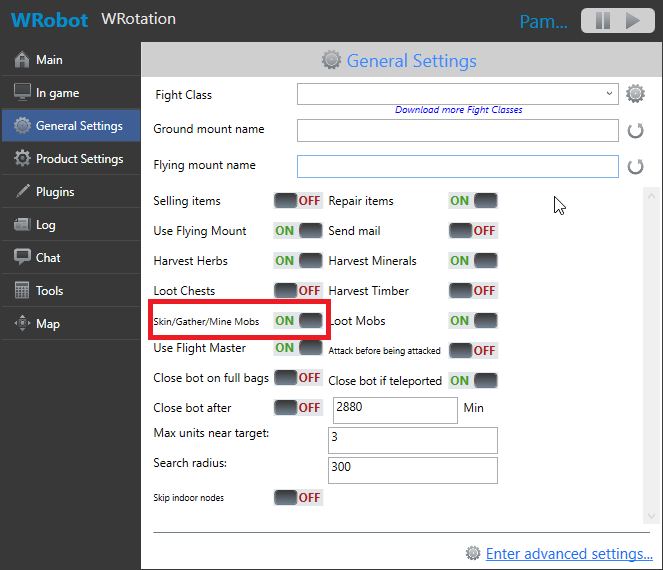 Yes you can found new links here: http://wrobot.eu/forums/forum/55-backlinks-and-partners/You can try to increment option "WallDistancePathFinder" (edit xml file associated with your character with notepad in the folder "Settings", default value is: <WallDistancePathFinder>1</WallDistancePathFinder>). After, in your profile try to avoid zones.In next update, I'll add fightclass condition "Target In Combat Range" (add add in spell with hight range).https://support.microsoft.com/de-de/kb/816731Hello, you run WRobot in administrator Windows session?Changed Status to Cannot Reproducehttp://wrobot.eu/bugtracker/movement-stuck-detection-too-sensitive-for-caster-r487/?do=findComment&comment=3268You have incremented fightclass range or add "Target Distance" condition?Changed Status to Awaiting FeedbackHello, do you have get this problem since?Hello, to fix problem temporaly, increment fightclass range or add at spells condition "Target Distance" : "SmallerOrEqual" : Your range. add "c sharp code" condtion at your range spells with code: ObjectManager.Target.GetDistance <= wManager.Wow.Helpers.CustomClass.GetRange I'll try to find solution (but this problem is amplify in wow 3.3.5, I ignore why).Changed Status to Fixed Changed Version to AllChanged Status to FixedChanged Status to FixedChanged Status to FixedChanged Status to Fixed

