




Skip to content
View in the app

A better way to browse. Learn more.

WRobot

A full-screen app on your home screen with push notifications, badges and more.

To install this app on iOS and iPadOS
  1. Tap the Share icon in Safari
  2. Scroll the menu and tap Add to Home Screen.
  3. Tap Add in the top-right corner.
To install this app on Android
  1. Tap the 3-dot menu (⋮) in the top-right corner of the browser.
  2. Tap Add to Home screen or Install app.
  3. Confirm by tapping Install.

[A] Alliance 1-35 quest profiles 1.3.1

(12 reviews)

2 Screenshots

A tested Alliance Human Quester for Vanilla 1.12 Servers using Wrobot.

This product is a single profile for 1-30, plus a single 30-35 file using the quest framework.  Quests in human + Dwarf zones.  There is grind in this profile ( As its Vanilla WoW this is expected), however majority of the EXP comes from completing / turning in quests.

Starts in human start zones and moves between zones in Eastern kingdoms as it levels.  Does not take the boat to Kalimdor.

Required bot to start at level 1.  Release v1 will be the 1-35 release.  Once feedback input has been included will break the file down to allow different starting levels.  Preferred classes are Warlock, Paladin, Hunter, Druid and Priest.  Mage is passable.  Rogues and Warrior's may struggle( As normal with Vanilla WoW).


If you have any feedback I'm always open to ideas and if you like the file post a review!

Enjoy.

Eeny


What's New in Version 1.3.1

Released

No changelog available for this version.

User Feedback

Recommended Comments

Marsbar

Elite user

So far it's working great! I believe I've only come across 1 stuck and it's very rare to get a death too. Running on a pally (with your fight class) and its smooth sailing.

Will update and create review once it's gotten to the end of it's journey.

CrackerCrook

Members

Edit everything. I take it all back. Working well. High praise. 10/10 would pay 5 euro again. 

kekail

Members

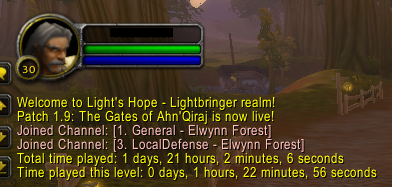
image.png.af5197c8e31112e632175005f1577a6b.png    1-17 paladin 100% afk (I forgot I had started the bot and didn't check until now), stopped to train weapon skills and give toon some bigger bags. Now to see how it handles the rest.


image.png.8b9457ad8f2ac9798263b831455d0829.png Level 28, the routine has proven to be 100% afkable, but Wrobot can cause some issues which disrupts the leveling;

1. If you are not using the HumanMasterplugin, the bot might get stuck trying to attack mobs that are evading. Using the plugin will make it stop attacking evading mobs, but this leads to the following issue:

2. If you are using the HumanMasterplugin, the plugin disrupts the profile's inbuilt navigation, which will sometimes force your bot to just stand still next to a flightpath for ages, and might just stop it from leveling completely.

All in all, I suggest not using the humanmasterplugin, and just check in on the bot once in a while ( from lvl 1-28 I only saw 1 mob evading, in wetlands).

TARDUNGEN

Members

Has some issues in Wetlands, where it continously pulls major packs of Gnolls, and keeps dying due to this.


Apart from that, has worked flawlessly!

valetine

WRobot user

Although I am a human mage, but a lot of quest let me die and die....

such as Bounty on Murlocs ,Discover Rolf's Fate, The Forgotten Heirloom......

Maybe you can consider deleting some very difficult quests.

pherson05

Members

I keep getting an error on my screen after each kill or loot of the kill - Attempt to index global 'TaxiButton4' (a nil value) 

Does anyone know what this means? It stops the bot from continuing!

eeny

Elite user

8 hours ago, pherson05 said:

I keep getting an error on my screen after each kill or loot of the kill - Attempt to index global 'TaxiButton4' (a nil value) 

Does anyone know what this means? It stops the bot from continuing!

Not sure where its coming from- got a session log for the bot thats doing it?

I do hard code taxis in the profile, they should be 'one off' runcode and hidden away so they only fire off once.  Got any other adorns / plugins running?

valetine

WRobot user

On 2018/3/9 at 1:56 AM, eeny said:

Not sure where its coming from- got a session log for the bot thats doing it?

I do hard code taxis in the profile, they should be 'one off' runcode and hidden away so they only fire off once.  Got any other adorns / plugins running?

The same problem, probably because you did not find the flight point of Ironforge.

TaxiButton4 means the flight point of Ironforge.

eeny

Elite user

5 hours ago, valetine said:

Must turn in  The Lost Tools  quest, then you can pick up The Everstill Bridge ,but the quest profile is missing  The Lost Tools , so the bot will stuck.

What server do you play on?  I have been running this in LB for a while and never had to complete the lost tools to get the quest, unless they changed something recently.  

valetine

WRobot user

7 hours ago, eeny said:

What server do you play on?  I have been running this in LB for a while and never had to complete the lost tools to get the quest, unless they changed something recently.  

Play on lightshope server,maybe you can try to do the quest again.

Also you can see player comments on 

https://classicdb.ch/?quest=89

eeny

Elite user

9 hours ago, valetine said:

Play on lightshope server,maybe you can try to do the quest again.

Also you can see player comments on 

https://classicdb.ch/?quest=89

Should have only changed in BC (V2.3.3)- il run a bot through anyway and check.

By HedonisticZen on 03/02/2008 (Patch 2.3.3)
You must complete "The Lost Tools" before Foreman Oslow will give you this quest.


valetine

WRobot user

1 hour ago, eeny said:

Should have only changed in BC (V2.3.3)- il run a bot through anyway and check.

By HedonisticZen on 03/02/2008 (Patch 2.3.3)
You must complete "The Lost Tools" before Foreman Oslow will give you this quest.


I hope you can check it out. I will continue to feedback on the problems encountered during use. At the same time, I would like to consult when the 35-60 file can be downloaded?

billyjeane

Members

On 3/19/2018 at 8:18 AM, valetine said:

Must turn in  The Lost Tools  quest, then you can pick up The Everstill Bridge ,but the quest profile is missing  The Lost Tools , so the bot will stuck.

This is correct on Kronos also. Had to manually do the quest to keep the bot moving.


pepzlesy

Members

It get sometimes stuck at ironforge gates but bot disonnects after 24 attempts, how does this happen and is it going to be fixed?
 

pepzlesy

Members

18 minutes ago, pepzlesy said:

It get sometimes stuck at ironforge gates but bot disonnects after 24 attempts, how does this happen and is it going to be fixed?
 

Its valley of the kings, it gets stuck. cant use the bot anymore. any fix?

eeny

Elite user

1 hour ago, pepzlesy said:

Its valley of the kings, it gets stuck. cant use the bot anymore. any fix?

I know the gate you  are talking about, usually when the bot is stuck there its trying to go back to human lands and (for whatever reason) failed the manual flight i put into the file, so it makes a path and tries to run from Loch modan to Stormwind.  Look at the "ingame tab" bot state / last log.  If he bots trying to pick up  a quest in the Human zone just hearth back to goldshire and restart the bot.

pepzlesy

Members

4 minutes ago, eeny said:

I know the gate you  are talking about, usually when the bot is stuck there its trying to go back to human lands and (for whatever reason) failed the manual flight i put into the file, so it makes a path and tries to run from Loch modan to Stormwind.  Look at the "ingame tab" bot state / last log.  If he bots trying to pick up  a quest in the Human zone just hearth back to goldshire and restart the bot.

I have done that, but now its stuck at a quest. i try to find for it in the wrobot loader but i can not find the quest. it talked to a npc but did not complete the quest so i did that. now it still talks to the same npc

pepzlesy

Members

2 minutes ago, pepzlesy said:

I have done that, but now its stuck at a quest. i try to find for it in the wrobot loader but i can not find the quest. it talked to a npc but did not complete the quest so i did that. now it still talks to the same npc

quest is called jasperload mine


eeny

Elite user

(edited)

6 minutes ago, pepzlesy said:

quest is called jasperload mine


u sure its stuck on that quest- its not even in the file because its bugged on some priv servers


Edited by eeny

pepzlesy

Members

Just now, eeny said:

u sure its stuck on that quest- its not even in the file because its bugged on some priv servers


I tried to skip it, but now it goes back to that npc the intire time. if i walk out of the human area it just walks back in to the same npc

eeny

Elite user

7 minutes ago, pepzlesy said:

I tried to skip it, but now it goes back to that npc the intire time. if i walk out of the human area it just walks back in to the same npc

maybe skipping wrong quest- can you send me a log?

pepzlesy

Members

1 hour ago, eeny said:

maybe skipping wrong quest- can you send me a log?

For some reason the bot works again, i used your paid 1-60 grinder for a hour and now using the quest bot again and it seems to be working really well! If it happends again i will send a log to you

Amazing job what you have created, searched an tried for hours scripts but yours only seems to work

pepzlesy

Members

Im stuck again, i tried your grinder for a couple of hours worked fine. Now i use the quester again and stuck at the same npc


13 jul 2018 19H45.log.html

pepzlesy

Members

Thanks for all the help so far, but now it walks to straight to  all these places but does nothing at the flyightmaster and just keeps walking again to the next one and so on untill im at the horde and then i keep dying

01:31:35 - [FlightMaster] Try to take taxi node Sentinel Hill, Westfall to Morgan's Vigil, Burning Steppes, go to npc.
01:31:35 - [FlightMaster] Cannot found npc of taxi node Sentinel Hill, Westfall, disable it.
01:31:35 - [FlightMaster] Try to take taxi at 

13 jul 2018 19H45.log.html

Create an account or sign in to comment

Account

Navigation

Search

Search

Configure browser push notifications

Chrome (Android)
  1. Tap the lock icon next to the address bar.
  2. Tap Permissions → Notifications.
  3. Adjust your preference.
Chrome (Desktop)
  1. Click the padlock icon in the address bar.
  2. Select Site settings.
  3. Find Notifications and adjust your preference.
