

Zan
Members
-
Joined
-
Last visited
Everything posted by Zan
-
WRobot does not work on Classic. It only works on private server versions of WoW. It's listed in the upper left corner.
-
It's a Private server bot only
-
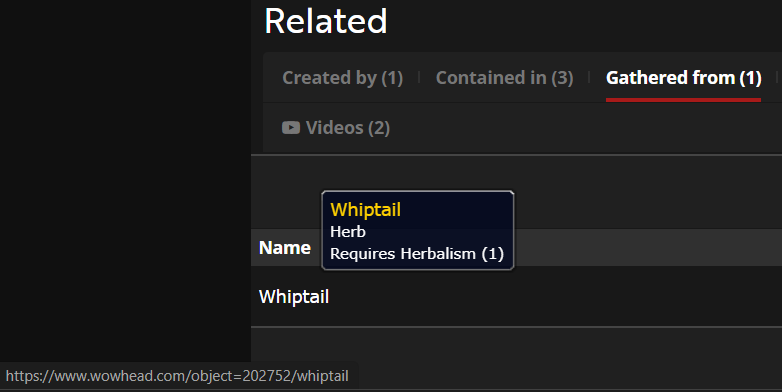
You are gathering from an Object to get the item. There are two ways to do this. (In Game) Use the Developer Tools to search for Objects. (Out of Game) Go to Wowhead.com and search for the herb you're looking for. Go to the bottom of the item page and look for the tab "Gathered from". Click on the Object name under "Name" or mouse hover for the ID of the Object.
-
Post a log
-
WRobot does not come preloaded with combat routines. You may need to make your own.
-
Replace UseItem line with it.
-
https://wrobot.eu/clients/purchases/
-
That is the private server license. WRobot is a private server bot.
-
https://wrobot.eu/search/?q=Clickonterrain&quick=1
-
Zan's Demon Hunter (Shadowlands) Vengeance - Usable Havoc - Work in progress Covenants Kyrian Class Spell - Usable Signature Spell - Not tested Necrolord Class Spell - Work in progress Signature Spell - Work in progress Night Fae Class Spell - Work in progress Signature Spell - Work in progress Venthyr Class Spell - Work in progress Signature Spell - Work in progress Demon Hunter Fight Class is based on Icy-Veins and covering most Talents while offering multiple options for customization. PvP is not implemented at this time and may be fully supported in the future once I can fully test the PvP Talents. Interrupts have a minor delay to avoid being noticed as a bot. It will not attack faction tagged mobs. It will not dismount to attack while Flying or Ground Mounted and moving. Once the Ground Mount stops it will engage in combat if it has a target. This also applies if the Flying Mount is on the ground. Notes: Not Tested using Quester but I will make adjustments based on feedback if needed. PvP is not tested. All questions, comments, and suggestions for improvement are welcome. To activate pull spells “Attack before being attacked” must have a check mark or turned on. This specific Fight Class will ONLY be supported for Shadowlands. Install in WRobot > FightClass It will create a folder (Zan’s Presets) for the FightClass saved settings. Saved as Class > Specialization Disclaimer - Modifications to the Fight Class will be made by me if deemed necessary. Downloading and / or possessing any of my files means you agree to not decompile my work without my given permission. GUI Options: Most options are self-explanatory. Talents – Select your talents and it will check after you level and are out of combat, you enter a rested area, or switch specializations. WRobot: “Advanced Settings” > “General Settings” > Assign Talents (Checked) to have bot set Talents. Potion (Prepot) – Only works with DBM timers when someone else initiates a timer. Covenant Button – This will appear when you are in a Covenant or have the Zone spell. Here you will be able to select settings for the Covenant spells. Rotation Speed – Slide the cursor to the right to speed up the rotation. If you see it click a spell and it does not cast, it is too fast. Slide it back to the left until it casts the spell. Presets – Select Difficulty, then change all settings you prefer and then under Save click Quest, Dungeon, Raid, or PvP. This will create a settings folder and store settings you can use across other characters of the same class. Under Load click Quest, Dungeon, Raid, or PvP then click Load to load the corresponding settings profile. (If there are already settings for the character it will load them by default when opening the settings) Apply – Click to Apply Load Settings seen on the GUI for current use. Exit – To close out the GUI.
-
Try reading up in here: Ascension threads
-
Uh, this is not the server you are looking for.
-
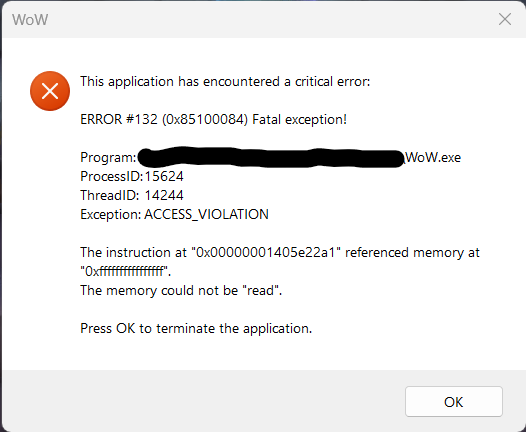
When I use the teleports between the cities the game crashes on Windows 11. I have reinstalled Windows 11 and I still have the same results. I have tried 60 fps, 30 fps, a blank fight class, and I still have the same result. On Windows 10 it works with no issues at 30 fps or 60 fps. 7 Jan 2023 09H48.log.html
-
Temp fix, second check a traceline just slightly different from the original coords beyond the door. Hopefully there is a way to clear that cache though.
-
https://wrobot.eu/forums/topic/14958-shadowlands/#comment-67382
-
Happy New Year to you as well Droidz! May the next year be better than the last and best wishes to all!
-
This is interesting. It works then stops working 18 Dec 2022 18H12.log.html
-
It seems to be working! Thanks Droidz!
-
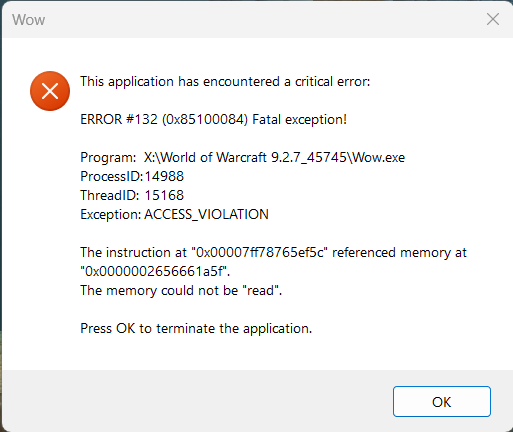
WoW crashes then WRobot menu shows up. 17 Dec 2022 14H59.log.html
-
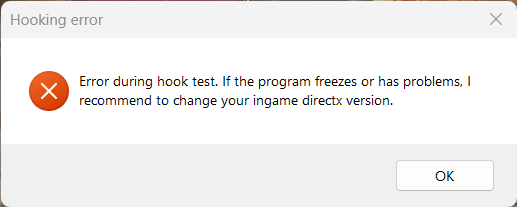
I am getting errors. I tried DirectX 12, 11, and 11 Legacy versions. Attached is the log. It's not going past launch window. 17 Dec 2022 08H08.log.html
-
-
-
9.1.5 build 40944 currently and 9.2 is coming Dec 12, 2022. I'll come back here with a build number once it updates.
-
Droidz, will WRobot support Shadowlands?
-
And it helps to use the official version vs a cracked version.