Pudge
WRobot user
-
Joined
-
Last visited
Everything posted by Pudge
-
Has always been and has happened in certain places / with a poor internet connection / when a wrobot works through a proxy.
-
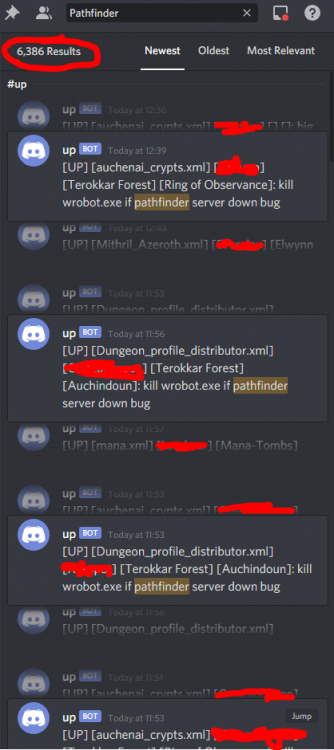
Hi. Often. 30 times at the last 4 hours. These zones are all the time : [Terokkar Forest] [Auchindoun]: kill wrobot.exe if pathfinder server down bug [Terokkar Forest] [Ring of Observance]: kill wrobot.exe if pathfinder server down bug [Borean Tundra] [The Nexus]: kill wrobot.exe if pathfinder server down bug
-
funny but the fact that castspellbyname doesn't work is half the trouble. In addition to this, I can’t run more than 2 wow windows together on the same server....
-
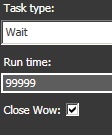
You can add Wait task after Run you need to turn off and maybee turn off or set the value to Run time in wait task 99999


-
Yes, disconnecting because they require to install their patches, which they update daily. Interesting, will have to try, if I understand how to do that :)
-
Doesn't work when in combat, I showed it right on the video. Only runmacrotext works.
-
This is bug, it appears when you have bad internet connection/using poor proxy. Ask @Droidz for fix it. As soon as this happens, the bot starts a pause-unpause cycle. The only solution is a full restarting the wrobot process. I made this function in my plugin, so when the entry "Pathfinder server seem down, pause bot for 20 secondes" appears in the log - wrobot process will be killed and restarted by relaunch in relogger.
-
Hi. On some server that called Sirus i encountered the weird protection from SpellManager.CastSpellBy and LuaDoString functions for using spells - they're doesn't work in combat. Maybe there are alternative ways? Except PLua (only runmacrotext works)
-
But I would like to catch exactly the moment when the loading bar is visible on the screen
-
ofc botting on private servers

-
Hi! The function Usefuls.IsLoadingOrConnecting returns false when reloading UI (when character already entered the world). @Droidz Please fix it. Thanks a lot in advance.
-
Hello! Is it possible to detect this state? When character is in game but UI is currently reloading. Boolean Usefuls.IsLoadingOrConnecting doesn't detect the loading screen from reload UI when character already entered the world and it returns false, it returns true only on the loading screen when character enters the world from selection menu. Also Usefuls.InGame and Conditions.InGameAndConnected returns false when UI is reloading, this is weird. Maybe some elements from interface can be catched by method IsVisible/IsShown ?

-
Hi, I want to know about the function wManager.wManagerSetting.CurrentSetting.SpellRotationSpeed I would like to know how it works, how it determines which spells can be skipped and which ones should be used. Turning it on I really noticed some acceleration of the battle. I would like to know in which situations it can be included and in which to refrain from it. Thank's

-
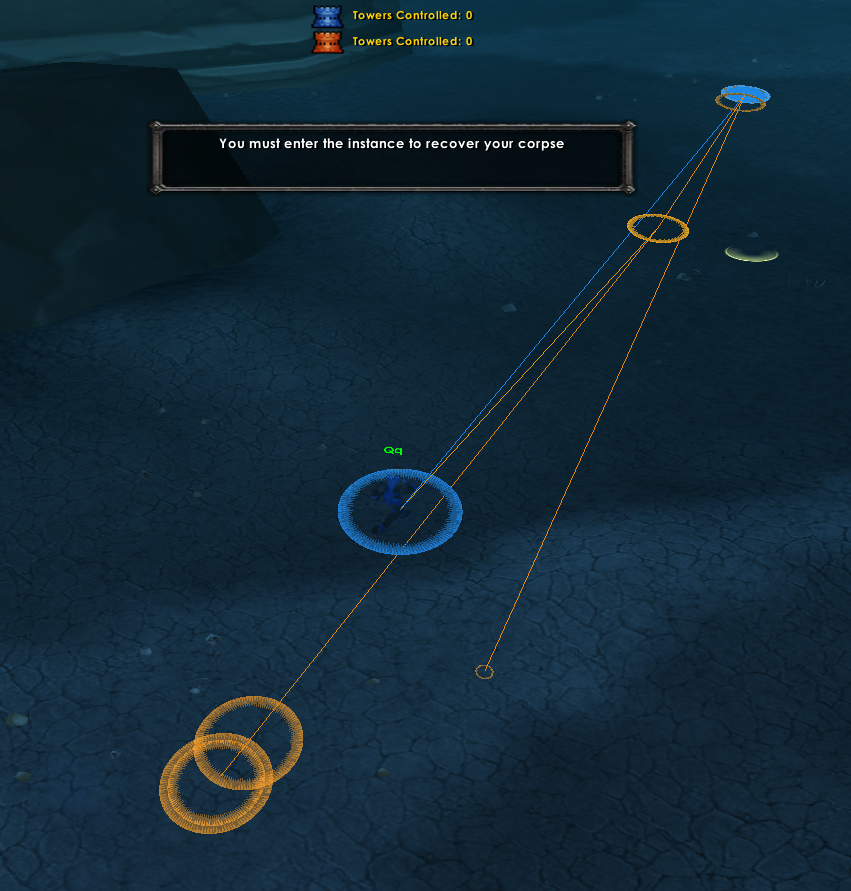
The fact is that the coordinate of the body is Z = 22.7034, and the entrance to the dungeon is at a height of Z = -101.049f and the bot goes and stands above the cave at the entrance when reaching the position of the body goes to the bottom, it is necessary that the path is generated from the respawn to the portal, it is possible 11 Jun 2020 17H32.log.html
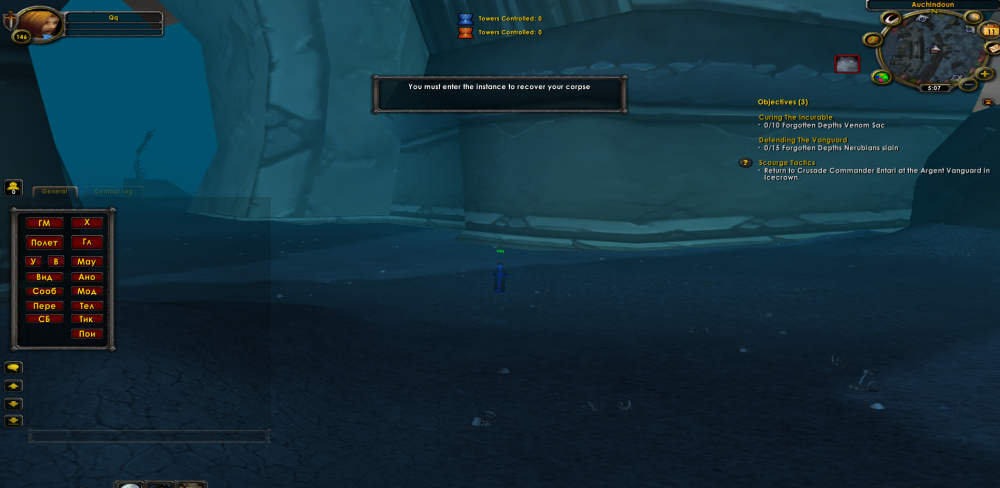
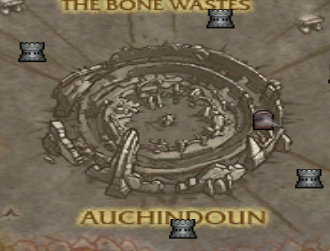
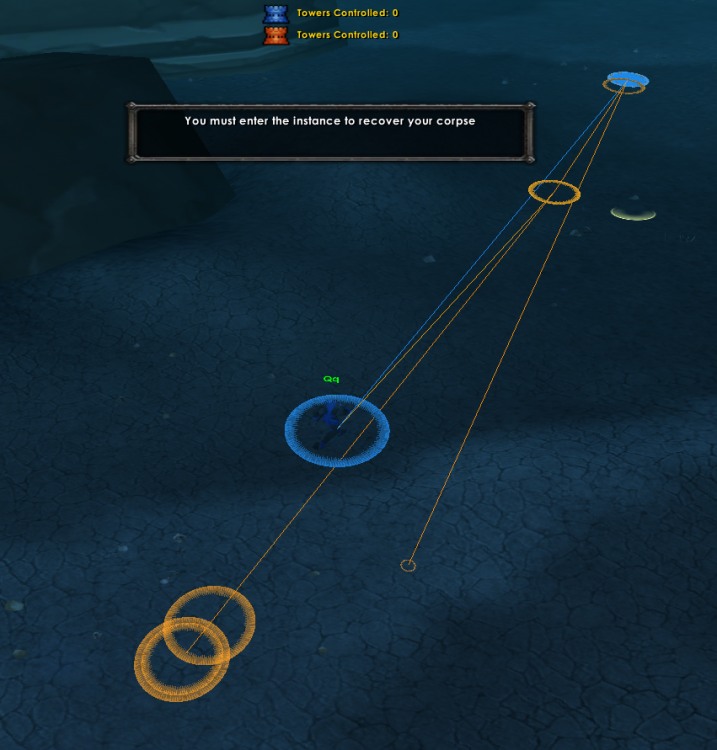 Hi everyone, I'm trying to do my best after dying in a dungeon. I found little information about this on the forum. That's all. I made a plugin using your @Droidz code. But it doesn’t want to work, although the condition for executing the code works. using System.ComponentModel; using System.Windows.Forms; using robotManager.Helpful; using wManager.Wow.Helpers; using wManager.Wow.ObjectManager; public class Main : wManager.Plugin.IPlugin { public void Initialize() { Logging.Write("[EnterCorpse] Started."); wManager.Events.OthersEvents.OnPathFinderFindPath += delegate (Vector3 from, Vector3 to, string mpq, CancelEventArgs cancelable) { try { if (to != null && (ObjectManager.Me.PositionCorpse.Z == to.Z) && to.DistanceTo2D(new Vector3(-3362.286f, 4665.728f, -22.70619f)) < 30) { to = new Vector3(-3362.163f, 4636.226f, -101.049f, "None"); // dungeon entrance point Logging.Write("Path changed to " + to.ToString() + ""); //cancelable.Cancel = true; //Thread.Sleep(10000); //MovementManager.StopMove(); //PathFinder.FindPath(to); //MovementManager.Go(PathFinder.FindPath(to)); //cancelable.Cancel = true; } } catch { } }; } public void Dispose() { Logging.Write("[EnterCorpse] Disposed."); } public void Settings() { MessageBox.Show("??"); } } The log shows that the code works, but the path changes instantly and the bot runs to the corpse position: 11 Jun 2020 16H00.log.html Any ideas why this does not work as it should?
 @Matenia thanks again!I used the code from his plugin, it works awesome, I redid it for myself and set up the display of the necessary information, but Logging.Status is not what I need, need the name of the currently running step.Hello! Is there any API/code for displaying the current step name that is currently being executed? Something like a Quest.QuesterCurrentContext.StepName. Need this for debugging.Code like this should help // train skills by name // if (wManager.Wow.Bot.Tasks.GoToTask.ToPositionAndIntecractWithNpc(new robotManager.Helpful.Vector3(5813.14f, 475.205f, 658.7826f), 31238)) { wManager.Wow.Helpers.Usefuls.SelectGossipOption(wManager.Wow.Enums.GossipOptionsType.trainer); Thread.Sleep(1000); // spell 1 // if (!Lua.LuaDoString<bool>("if IsSpellKnown(54197) then return true end") && Lua.LuaDoString<bool>("for i=1,GetNumTrainerServices() do serviceName,_,serviceType,_=GetTrainerServiceInfo(i) if serviceName == 'Cold Weather Flying' and serviceType == 'available' then return true end end")) { Lua.LuaDoString("for i=1,GetNumTrainerServices() do serviceName,_,_,_=GetTrainerServiceInfo(i) if serviceName == 'Cold Weather Flying' then BuyTrainerService(i) end end"); Thread.Sleep(1000); } // spell 2 // if (!Lua.LuaDoString<bool>("if IsSpellKnown(33391) then return true end") && Lua.LuaDoString<bool>("for i=1,GetNumTrainerServices() do serviceName,_,serviceType,_=GetTrainerServiceInfo(i) if serviceName == 'Journeyman Riding' and serviceType == 'available' then return true end end")) { Lua.LuaDoString("for i=1,GetNumTrainerServices() do serviceName,_,_,_=GetTrainerServiceInfo(i) if serviceName == 'Journeyman Riding' then BuyTrainerService(i) end end"); Thread.Sleep(1000); } }Hi, I need help, I tried to get the minimum value from Auction Page List<AuctionHelpers.AuctionItem> auklist = new List<AuctionHelpers.AuctionItem>(); foreach (var item in AuctionHelpers.GetBrowsePageItems()) { if(item.IsValid()) auklist.Add(item); } var ChepestItemauklist = auklist.Where(x => x.Name == "Frostweave Bag").OrderBy(x => x.BuyoutPricePerUnit).Min();//error code but I get an error if I try to use such code I need to know the minimum price on the page to use it for comparison. Does anyone know which method to use to get the minimum buyout price from the AuctionItem array? I know what you can extract into a separate BuyoutPrice list<int> and then everything seems to work as it should, but I would like to know if you can get the minimum value from multidimensional arrays of the wrobot? 5 Jun 2020 05H15.log.html
 Great! bow to you, sensei!Hi! I know that there is a GetText() API but I don’t know how to find the name of the text element I need, framestack shows only the names of the buttons, not the text itself. Is there a way to “extract” text from text elements of the wow interface, like a StaticPopup frame or error frame ? Thanks in advance to everyone who answers
 Hello! wManager.wManagerSetting.CurrentSetting.IgnoreServerRoadsWater - how does this option work? If anyone knows, please explain in more detail, I still can’t understand why the bot goes across the sea to the vendor/repair instead of going on the ground. Maybe this will help somehow...thanks, really this code was in profile