JWalton85
Members
-
Joined
-
Last visited
-
-
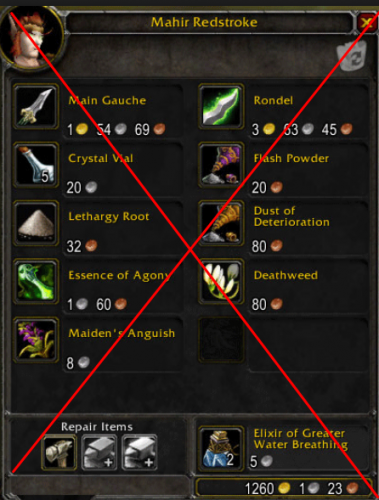 I would like to suggest/request a feature wherein the bot will DESTROY gray items (without GoToTown) so long as a stack of that item was worth less than X silver/gold. The user should be able to specify the silver/gold value.
- 2 comments
- 2 reviews
-
-

- 1
-
-
-
-
Thanks @The Smokie. I really i appreciate it. The quest is just to carry an item over, so I don't think there is any "info" that I need to add? I'll try modifying and using the code you suggested for the complete condition, thank you.
-
 Bambo reacted to a post in a topic:
Feature Request: Add Easy Profiles Creator button to Tools Screen
Bambo reacted to a post in a topic:
Feature Request: Add Easy Profiles Creator button to Tools Screen
-
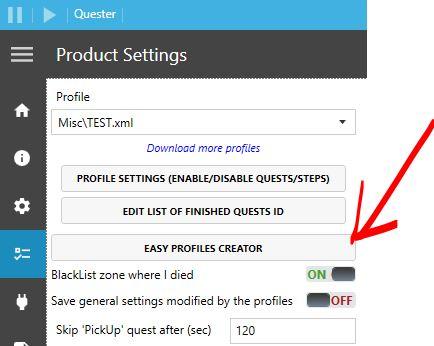
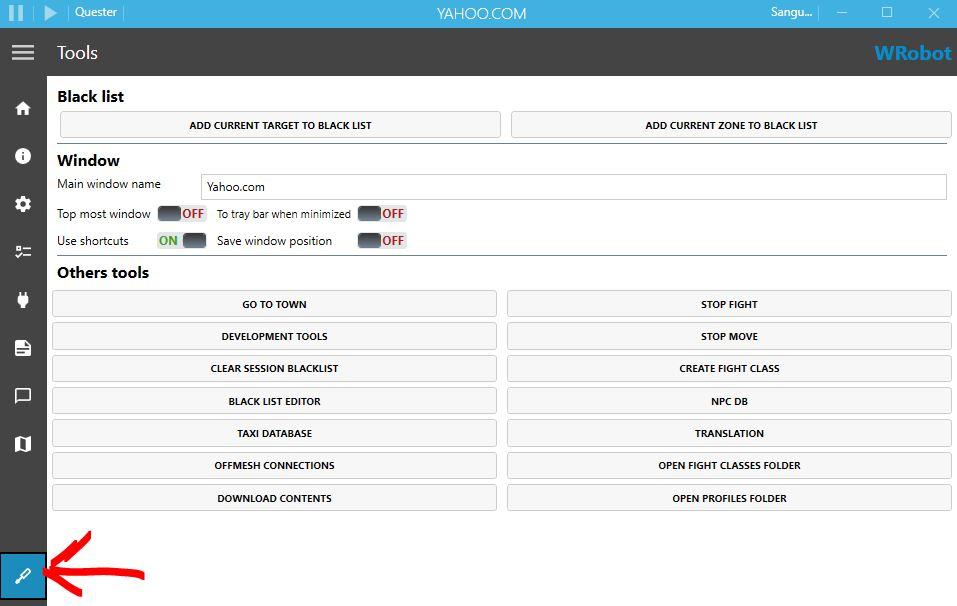
Hi @Droidz! Would you consider adding the "Easy Profiles Creator" button for Quester to the TOOLS menu? This would make it possible to open the Easy Quests Editor without stopping the bot.
-
My bot is going to Billy Maclure and interacting, but not actually turning in the quest? The Pork Belly Pie item is in inventory. Thanks for your help! 06-11-Elwynn-Forest.xml
-
Although... once a GM is teleporting you... you're as good as caught anyway...
-
I have added a step to my Quester Profile (I am using the Easy Quests Editor still) that hearths back to town. However under wRobot Advanced Settings I have the Stop game / bot / Security option If Player Teleported enabled. So when my bot hearths, it then immediately closes WOW. Besides disabling this security feature, how can I avoid this?
-
Thanks @Droidz! How would I enter this into the Complete Condition? I'm pretty new so I don't understand all the syntax requirements for the various languages of code you can use.
-
Okay no worries. I guess that's why it's a "Beta" feature ?
-
-
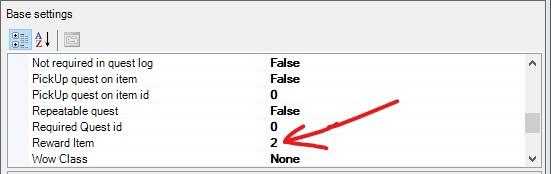
@Droidz, is this true? Is the Reward Item function of the Easy Quests Editor not working?
-
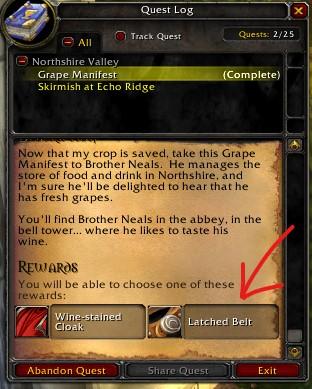
I'm having trouble getting my Quester profile to select the right quest reward. Here's what I have set up, and a screenshot of the quest log in-game.
-
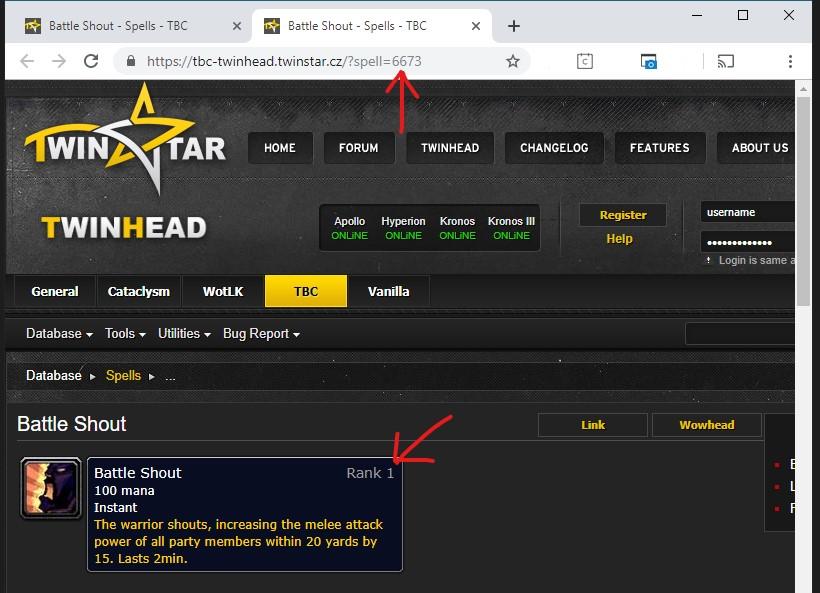
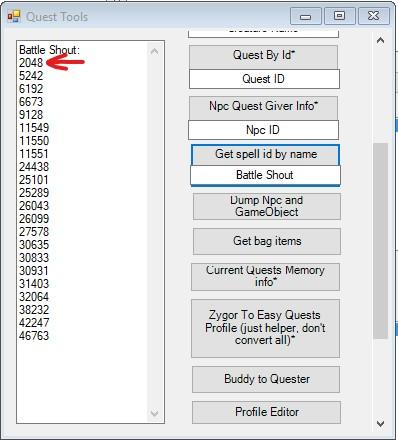
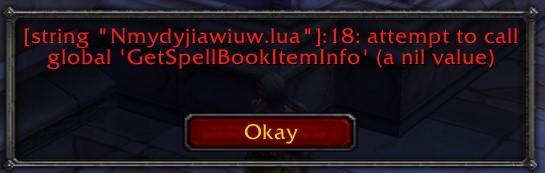
I am trying to build my Quester bot for the first few levels to train spells as the character levels. To help me get started I'm trying to take this snippet: https://wrobot.eu/forums/topic/2681-snippets-codes-for-quest-profiles/?do=findComment&comment=13536 As I'm pretty new, I'm Using the Easy Quests Editor. In this case, I'm trying to get a Level 3 Warrior to train Battle Shout. In the image "Battle-Shout-2-twinstar" you can see how I'm researching the spellID. (In the image "Battle-shout-1" you can see that I got a long list of ID's from the Helper Tools and decided I needed to make sure I had the right rank.) Next, In my Quest editor I'm setting the "Is complete condition" value. I'm using the snippet I got from the XML file in the forum post "Snippets codes for quest profiles", and replacing "local id = 2018" with "local id = 6673". So the value of my Is complete condition is "return Lua.LuaDoString<bool>("local id = 6673; local skillType, spellId = GetSpellBookItemInfo(GetSpellInfo(id)); return id == spellId");" as you can see in the image "Battle-Shout-3-complete-condition." My primary concern is that when the Quester bot is running then once this step is reached in the Quests order this error message is spammed on the screen: "attempt to call global 'GetSpellBookItemInfo' (a nil value)". See Battle-Shout-4-ingame-error. Thanks so much for your help!

-
-
-
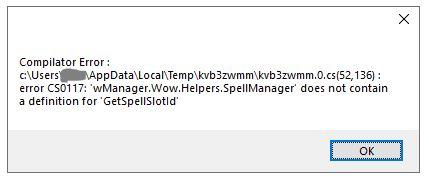
This worked pretty well but i'm getting this error frequently now when the Automaton mode loads. Compilator Error : c:\User\USERNAME\AppData\Local\Temp\kvb3zwmm\kvb3zwmm.0.cs(52,136) : error CS0117: 'wManager.Wow.Helpers.SpellManager' does not contain a definition for Get SpellSlotId'
-
-
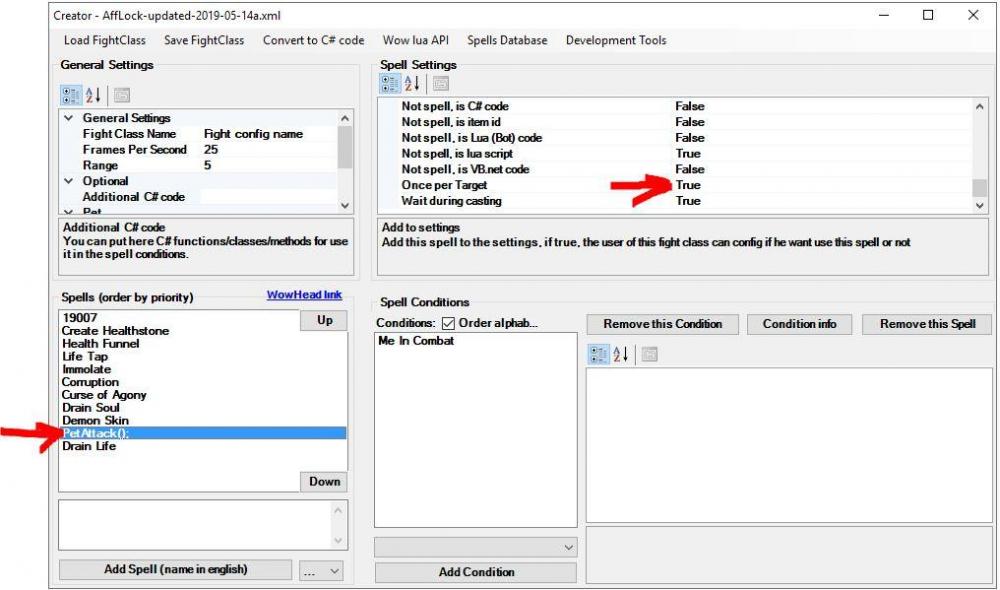
I noticed your FC was spamming petAttack(), so I changed that to OncePerTarget = true. Now it can move past the petAttack() command and get to the Drain Life.