




Skip to content
View in the app

A better way to browse. Learn more.

WRobot

A full-screen app on your home screen with push notifications, badges and more.

To install this app on iOS and iPadOS
  1. Tap the Share icon in Safari
  2. Scroll the menu and tap Add to Home Screen.
  3. Tap Add in the top-right corner.
To install this app on Android
  1. Tap the 3-dot menu (⋮) in the top-right corner of the browser.
  2. Tap Add to Home screen or Install app.
  3. Confirm by tapping Install.

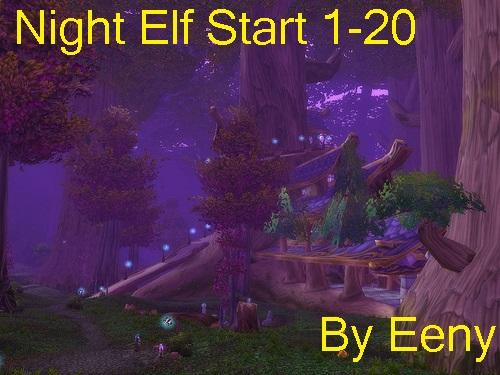
[A] [Quester] Night Elf start 1-20 1.0.0

(1 review)

1 Screenshot

Need people to QA profile

Free Night elf quest profile that should get you 1-20 hands free.

I didn't like the Darkshore quest lines (too many stucks) so i just pulled in the 10-20 block from the Draenei profile which works OK.  I have seen some issues with the flight co-ordination from Darnasus to Exodar so you may need to watch that. around lvl 10.

Requires the Quickquest addon and auto-gear addon to be full afk.

I tested with non heirloom'd bots and hit 20 each one.

Let me know if you see any stuck's.  Im looking to make a 1-20 for most classes / starting zones.

 

User Feedback

Recommended Comments

KnightRyder

Members

I'm having issues at: 

[D] 21:50:43 - [Quester] New step (103): LearningtheLanguage>PickUp
[D] 21:50:43 - [MovementManager]  You try to use flying/swimming path but you cannot fly/swim here, try to use ground mouvement...
[N] 21:50:43 - [Path-Finding] FindPath from 7193.906 ; -429.8398 ; 24.88909 ; "None" to -4177.215 ; -12510.24 ; 44.36106 ; "Flying" (Kalimdor)
[N] 21:50:43 - [Path-Finding] Cannot find path: 7193.906 ; -429.8398 ; 24.88909 ; "None" (Kalimdor_32.80595_18.51143) to -4177.215 ; -12510.24 ; 44.36106 ; "Flying" (Kalimdor_55.4567_39.83228)

Dunno if its profile or mesh issue. Keeps jumping jumping into the water cracks out side of Lor'danel and getting stuck.


EDIT: Had one minor issue cuz I forgot about quickquest, but no problems up to level 12 so far.

eeny

Elite user


1 minute ago, KnightRyder said:

I'm having issues at: 

[D] 21:50:43 - [Quester] New step (103): LearningtheLanguage>PickUp
[D] 21:50:43 - [MovementManager]  You try to use flying/swimming path but you cannot fly/swim here, try to use ground mouvement...
[N] 21:50:43 - [Path-Finding] FindPath from 7193.906 ; -429.8398 ; 24.88909 ; "None" to -4177.215 ; -12510.24 ; 44.36106 ; "Flying" (Kalimdor)
[N] 21:50:43 - [Path-Finding] Cannot find path: 7193.906 ; -429.8398 ; 24.88909 ; "None" (Kalimdor_32.80595_18.51143) to -4177.215 ; -12510.24 ; 44.36106 ; "Flying" (Kalimdor_55.4567_39.83228)

Dunno if its profile or mesh issue. Keeps jumping jumping into the water cracks out side of Lor'danel and getting stuck.


EDIT: Had one minor issue cuz I forgot about quickquest, but no problems up to level 12 so far.

So that looks the flight portion- ugh its a mess... fly to Exodar and restart

KnightRyder

Members

10 hours ago, eeny said:


So that looks the flight portion- ugh its a mess... fly to Exodar and restart

Worked. Side note, I noticed that for "[Quester] New step (121): MurlocsWhyHereWhyNow>Pulse" it will path out into the ocean every now and then. This happened on the draenei starter as well. Think the mesh is just a lil wonky?

KnightRyder

Members

20 hours ago, eeny said:


So that looks the flight portion- ugh its a mess... fly to Exodar and restart

Worked. Side note, I noticed that for "[Quester] New step (121): MurlocsWhyHereWhyNow>Pulse" it will path out into the ocean every now and then. This happened on the draenei starter as well. Think the mesh is just a lil wonky?


EDIT: I think I had a few more mesh problems, even drowned at one point (wtf!?! maybe flight path again) traveling around. But I did make it to 20 before step [Quester] New step (234): ContainingtheThreat2>Pulse. Yes, I have full heirlooms.

Lokiro

Members

dont work trying to talk to firt npc all time

iTzGold

Members

anything for 20-40?


payyn518

Members

nm

Account

Navigation

Search

Search

Configure browser push notifications

Chrome (Android)
  1. Tap the lock icon next to the address bar.
  2. Tap Permissions → Notifications.
  3. Adjust your preference.
Chrome (Desktop)
  1. Click the padlock icon in the address bar.
  2. Select Site settings.
  3. Find Notifications and adjust your preference.
