Samy
Members
-
Joined
-
Last visited
Everything posted by Samy
-
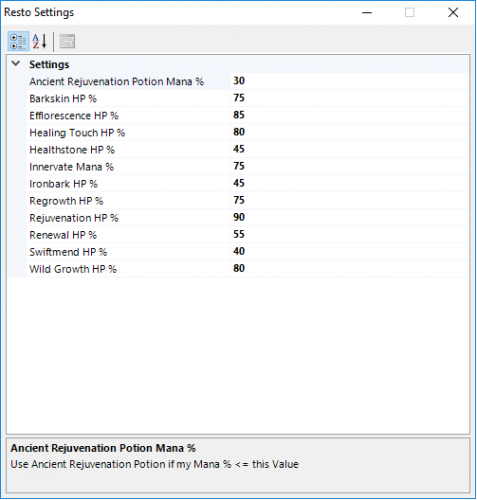 j'ai changé tous les sorts en français, ça ne change rien, ça fonctionne uniquement en client us.
- 31 comments
- 1 review
-
-
Merci pour votre réponse Sophie, effectivement je joue en anglais avec cette spé mais je maîtrise moins bien la langue de shakespeare que le Français pour les quêtes. Je vais voir pour modifier les sorts alors :)
- 31 comments
- 1 review
-
it does not work in French. I'm trying different option does nothing, it looks like it does not detect the tank, it can be a track.
- 31 comments
- 1 review
-
DruidResto.zip work perfect on every client DruidRestoration-21102016.zip on every client i cast only Lifebloom on the tank nothing other on a English client it works perfectly.
- 31 comments
- 1 review
-
-
-
-
 thanks
 -
-
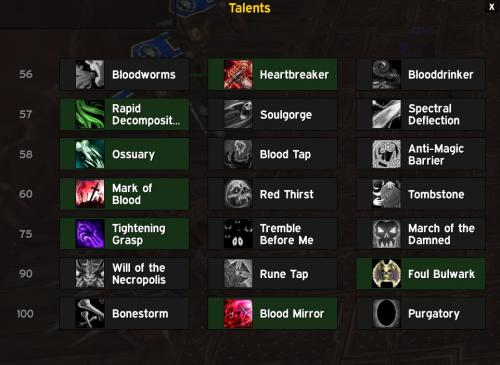 thanks a lot
 -
-
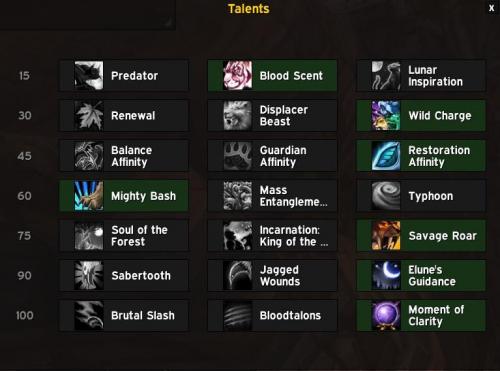 thanks a lot
 -
thanks for the update
-
I'll test especially if it is the beginning of a large project thanks
-
-
-
thanks a lot
-
-
thanks a lot
-
-
thanks
-
ok thanks a lot
-
thank you but what talents?
-
thanks