




thejm
Members
-
Joined
-
Last visited
Everything posted by thejm
-
Yeah you're right, maybe I'll just do it when it's moderate...
-
Hi I'm trying to build a monk tanking fight class, but it seems that 'stagger' isn't available in the drop down as a condition. Perhaps I want to use Ironskin Brew when it reaches a certain number.
-
Yeah but my profile doesn't ever mount its the spot where you stand in place so it doesn't work that way
-
I have the mammoth set in the options, sometimes it works but often it keeps attempting to loot
-
Hi, I've tried in both automator and grinder mode to set selling when bags fulls, but recently it stopped doing that. It's during skinning in nagrand
-
I wonder if I can spam a macro that looks for a nearby enemy and makes them the focus so I always have one in combat
-
That's a good idea but sometimes I might have 2 enemies but it could be a pet that isn't focus, or ill just be questing and not want to make a focus every time I want to use my rotation
-
Sorry I have another question, is it possible to do this, but continue the rotation even without a focus? It seems that when I'm 1v1 a mob, it tries to cast paralysis but says "No Target" so it gets stuck. I don't think there's an option that says "If have a target"Thanks that's greattitleThis is my fighting profile I made for single target pvp. it does hamstring, doesn't trinket or break fear. It's a modified version of kunfuninja12
- 1 comment
- 1 review
-
-

- 1
-
thank you before I did that I deleted my settings for both bots in my folder and that fixed it. don't know why it did thathi after yesterday, my bot just went fully retarded in automator, it just stands there instead of grinding in grinder, it runs the path but ignores all combat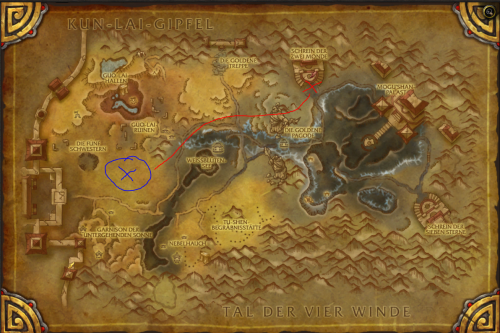 Good range but it gets stuck in a tent every 2 minutesI also wonder if it's possible to put the looting directly into the fighting class, for example checking the bodies around the player, if lootable, right click That way it's like the first step in the rotationHi I have the latest version of the combat looter, but it still doesn't loot in combat. I think it's because I'm using monk with the ox statue, so it is always in combat and trying to target things hitting my pet. Would it ever be an option to add to the bot 'force loot every 5 seconds' or so? I'm not sure how to do that by creating a pluginI wanted a refund when I bought this but I think it's okay There's no questing profiles, you'd have to bg or grind to 100. And I wish the auction bot had sniping =(
Okay I put the bot on grinder instead of automaton will try again thank you
This is really a bad profile, it just runs back and forth for about 50 yards and looks like an obvious bot. The mobs don't spawn quickly at allThanks i'll try that. Didn't know it has to both be onspells that are aoe and cast with the cursor don't work with wrobot. It casts it in the correct location, but doesn't commit (cast). I always have to do it myself or it works 4 times in =(
Good range but it gets stuck in a tent every 2 minutesI also wonder if it's possible to put the looting directly into the fighting class, for example checking the bodies around the player, if lootable, right click That way it's like the first step in the rotationHi I have the latest version of the combat looter, but it still doesn't loot in combat. I think it's because I'm using monk with the ox statue, so it is always in combat and trying to target things hitting my pet. Would it ever be an option to add to the bot 'force loot every 5 seconds' or so? I'm not sure how to do that by creating a pluginI wanted a refund when I bought this but I think it's okay There's no questing profiles, you'd have to bg or grind to 100. And I wish the auction bot had sniping =(
Okay I put the bot on grinder instead of automaton will try again thank you
This is really a bad profile, it just runs back and forth for about 50 yards and looks like an obvious bot. The mobs don't spawn quickly at allThanks i'll try that. Didn't know it has to both be onspells that are aoe and cast with the cursor don't work with wrobot. It casts it in the correct location, but doesn't commit (cast). I always have to do it myself or it works 4 times in =(