




Droidz
Administrators
-
Joined
-
Last visited
Everything posted by Droidz
-
Do you use wow addons? if yes try to disable all
-
hello, https://wrobot.eu/forums/topic/4346-deactivate-activate-plugins-in-quest-profiles/?do=findComment&comment=20171 (put code in one line)
-
-
You are sure than you are alone to use your key?
-
Hello, if target don't move, you can try to put small search distance
-
Hello, try to reinstall WRobot https://wrobot.eu/forums/topic/9656-cant-run-10-sessions/
-
https://wrobot.eu/forums/topic/9720-problem-with-the-key/?tab=comments#comment-45239
-
hello, when you launch "Updater" to install WRobot, change product version (select version for vanilla)
-
Hello, try to active option "Use lua to move" and to increment your min/max latency
-
Bonjour, quelle est le message d'erreur?
-
Hello, use dnLib
-
https://wrobot.eu/forums/topic/9678-pathfinder-problem-again/?page=3&tab=comments#comment-45207
-
Hello, I again added security code, I hope than this time its good. To wait to be sure than problem are resolved, I recommend to use this plugin: https://wrobot.eu/forums/topic/9678-pathfinder-problem-again/?do=findComment&comment=45114 When problem will resolved I will add subscription days to your accounts.
-
https://wrobot.eu/forums/topic/9678-pathfinder-problem-again/
-
try to increment min/max latency
-
Hello, Can you share your log file please ( https://wrobot.eu/forums/topic/1779-how-to-post-your-log-file-with-your-topic/ ). Check if you use Wotlk profile
-
Try : PathFinderPathIfDown.cs public class Main : wManager.Plugin.IPlugin { public void Initialize() { robotManager.Events.LoggingEvents.OnAddLog += delegate(robotManager.Helpful.Logging.Log log) { try { if (log.Text.StartsWith("GetRequest(string url=\"http://pathfinder") || log.Text.StartsWith("GetRequest(string url=\"https://pathfinder")) { robotManager.Products.Products.InPause = true; wManager.Wow.Helpers.MovementManager.StopMove(); robotManager.Helpful.Logging.Write("In pause because pathfinder server seem down"); } } catch { } }; } public void Dispose() { } public void Settings() { } }
-
Hello, try to launch WRobot with shortcut "WRobot no dx"
-
Sorry, I added again codes I hope than this time is good. Try to use this plugin: PathFinderRequestTimeoutMs.cs public class Main : wManager.Plugin.IPlugin { public void Initialize() { wManager.wManagerSetting.CurrentSetting.PathFinderRequestTimeoutMs = 60 * 1000; } public void Dispose() { } public void Settings() { } } (default time is 12 seconds)
-
Hello, you use upper/lower cases?
-
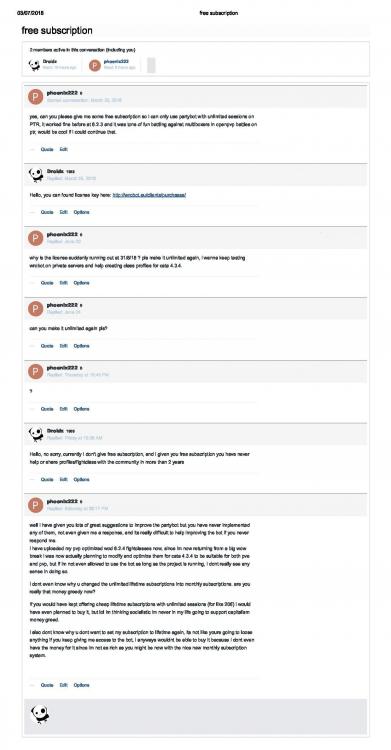
Hello, you have already requested it in private, I replied why post it in public? I gave you a free subscription to play on PTR servers at the bot "Party" (WRobot does not support PTR servers for a long time), for you free subscription you have never helped a member of the community, or even shared a file for more than 2 years https://wrobot.eu/profile/30087-phoenix222/content/. You've got free access for more than 2 years, you are already lucky.
-
Hello, Can you share your log file please ( https://wrobot.eu/forums/topic/1779-how-to-post-your-log-file-with-your-topic/ ).
-
Hello, use C# condition, for mana percent: ObjectManager.Pet.ManaPercentage > 50 for mana points: ObjectManager.Pet.Mana > 50
-
Hello try to increment min/max latency in advanced general settings (you have also option in product settings )
-
In your log you seem lost internet connection sometime. Try to edit with notepad the file "WRobot\Settings\WRobotGlobalSetting.xml" and change value in CloseIfCannotLoginWowMinutes (by default 2 minutes, replace 2 by your delay to close WRobot if cannot login wow, put bigger value). Check also in relogger app if you have activated "lock when launch" option in general setting


