
Munnotubbel
Members
-
Joined
-
Last visited
-
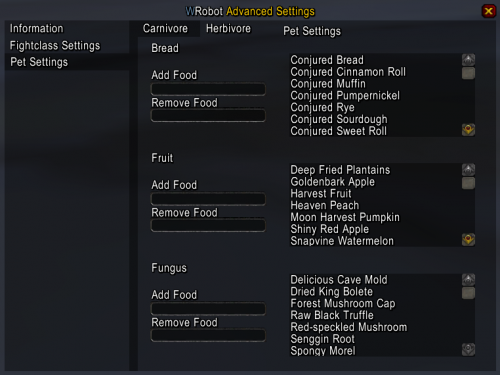 somehow my character has a problem with feeding the pet. he is just using that ability but he is not selecting the food
- 166 comments
- 6 reviews
-
yes i am using that plugin and i use all the payed classes
-
nope my characters are not on combat. after they killed one mob they loot and then go directly to the next one. they ignore low mana and low hp. in 15% of all cases
-
i already disabled all addons, delete the WDB & WTF folder of WoW and did a complete new setup of the bot. Those freezes appeared super out of nowhere but after the last bot-update. One more fact about those freezes. They appear super random. sometimes all 5 minutes and sometimes its running smoothe for hours. but i will give that shortcuts a try for sure. thx & cheers
-
have the same problem. it's a bit annoying :/
-
can you give an instruction where to put that in exactly? thanks :)
-
Well, would be nice to know. My game freezes all the time. Installed the bot new but still got the freezes. :/
-
 Well somehow it's not working out for me pretty well. The thing is that he gets out of the Ghost Wolf when he reaches a new waypoint most of the times + he stays in the Ghost Wolf sometimes when he is getting attacked so all in all not really what it should be like ? any suggestions to fix that? cheers!
 -
Munnotubbel changed their profile photo
-
-
I'm just getting this error too. Its just caused when i use the relogger tool. if that tools starts up the bot, the pre-selected profile for quester wont be able to run. If i change the profile by hand in the bot its working again :/ but as soon as my internet conection droped and the relooger tools relogs, its getting the same problem. so im not able to go afk please help