




headcrab
Members
-
Joined
-
-
-
Try this plugin, it has skinning workaround
-
This can happen when your grinding profile is short and mobs are neutral. In this case killed mobs remain in blacklist some time after respawn, and "not visible" for bot. So it mounts and goes on route. If it your case, you have to clear blacklist in any point of profile
-
Warmane has lags on high populated battlefields, like IoC. And if your fightclass has high fps settings, it will 100% freeze wow client, because client cant handle all robot commands. Simply leave such BG's or slow down your fightclass and all plugins. If you lpay random, use BG blacklist and this plugin:
-
-
You can also try Battleground Helper plugin - it can track enemy players on battlefields when Radar3D switched on, but there are few nice WoW addons (like HHTD) that can do it much better. But Battleground helper can autofocus enemy healers, visual part is just for fun
-
-
Why not? Tricky but not impossible. Use c# condition like this new Func<bool>(() => { WoWUnit u = ObjectManager.GetWoWUnitHostile() .Where(u => ObjectManager.Me.Target != u && u.IsAlive && u.GetDistance<20 && bla bla bla) .OrderBy(u => u.GetDistance) .FirstOrDefault(); if (u != null) { Interact.InteractGameObject(u.GetBaseAddress, true, false); return true; } else { return false; } }).Invoke this will switch target for cast current spell and return true (so, enable polymorph cast)
-
-
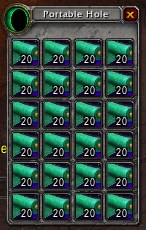 OK. I tested it in vanilla client and fixed all errors. Disenchanting and tailoring now works (except Skillups sorting)
- 28 comments
- 1 review
-
Lua function IsEquippableItem called in disenchant procedure. Did you put true for "DE green items" option? Anyway, IsEquippableItem is present in vanilla WoW: http://vanilla-wow.wikia.com/wiki/API_IsEquippableItem I did not tested disenchant in vanilla, maybe it not works. You can try to fix this error: open plugin in notepad, find 'IsEquippableItem' (line 77) and comment this line like this: //if (!Lua.LuaDoString<bool>("return IsEquippableItem(" + item.Entry + ")")) continue;
- 28 comments
- 1 review
-
Read desription: this plugin binded to loot event. Run any product, bot will kill mob, loot, and right after loot it will craft recipes if there is enough ingridients. So it keeps empty place in your bags.
- 28 comments
- 1 review
-
-
Could you copy-paste this error here? Perhaps, your plugin file or plugin settings is corrupted
- 28 comments
- 1 review
-
It binded to loot event, read description. Will craft right after loot mob, if you have enought ingridients. With which product did you run it? It there any error in your log?
- 28 comments
- 1 review
-
there is plugin
-
-
-
-
-
-
 This is developer's plugin. Sometimes is usefull to see what Lua commands robot sends to WoW client. But for now all Lua strings in wrobot are encrypted. There are many ways to see this strings, but i found Harmony library with which the process became very simple. Also this library can be usefull to patch wrobot code on runtime. copy 0Harmony.dll to Bin folder copy LuaSpy.dll to Plugins folder enable plugin and start any product In console window you will see Lua commands like this: [D] 16:15:22 - [LuaSpy] Int32 GetSpellCooldownTimeLeft(System.String) [D] 16:15:22 - [LuaSpy] local t = 0; local start, duration, enabled = GetSpellCooldown('Snake Trap'); if enabled then t = math.floor((start + duration - GetTime()) * 1000); if t < 0 then t = 0; end end return t; [F] 16:15:22 - [Spell] Cast Snake Trap (Snake Trap) [D] 16:15:22 - [LuaSpy] Int32 get_LatencyReal() [D] 16:15:22 - [LuaSpy] local _, _, lagHome, lagWorld = GetNetStats(); return lagHome + lagWorld; [F] 16:15:23 - [FightClass] Launch C# code: /*castOnGround("Snake Trap",40)*/ There are always 2 sequental strings marked with [LuaSpy] calling method signature called lua In settings you can also add filter tokens for calling method. There are no screenshort, because in 2.x they all like this main picture:
 -
Some private servers detect and disable protected function AcceptBattlefieldPort. If so, you have to patch wrobot and use plugin:

