antisnake
Members
-
Joined
-
Last visited
Everything posted by antisnake
-
TBC: 2.4.3 Logfile request. this is the logfile. the same loop of being stuck happens at all elevators. Thunder bluff & Barrens/Needles and Freewind post(city in thusand needles). this log is from the elevator to barrens. but they all act the same. https://i.gyazo.com/9f5f943856893baee2ff1ded40ce717f.mp4 7 feb 2019 18H37 - eNemHLO.log.html
-
Client: TBC 2.4.3 Server: Nightbane(sunwell) if that matters faction: Horde how often it happens: 100% of the time the last few days my bot/s has had problem with thunder bluff/1k needles and freewind post(horde city in 1k needles) it keeps running up the ramp and falling off where the elevator is and then looping/geting stuck under the elevator ramp/sometimes running into the wall trying to path upstairs of the elevator(?) will edit once again once i can get a video off it happening again edit: https://i.gyazo.com/cc9e9ebdaea55d4523d6e83b37aedd51.mp4 this is the same behaviour for all the elevators, after running into the wall for a few second it loops. i cant pull a log right now cause having issues with my server that ran the vms but ill edit a second time if i manage. tried fresh install & even fresh vmware windows and redownload of everything, always same issue at Thunder bluff & Freewind post & Barrens>1K needles elevator.
-
ah, thanks! also im not sure if this is related but whenever i use the eeny paladin my paladin "sutter steps" 60fps framelock etc, its just with this fightclass, i think ive narrowed it down to ctm and is there a way to enable judge spamm, im way above 20
-
What talents do you recommend going with this?
-
wrobot crashes for me using this version both 2.1 and 2.2
-
dont forgett the client goes "idle for to long logout" by the game not wrrobot as soon as its attatched, wtf
-
thats mildy interesting seeing this is from a fresh install VM windows10 where i did not change any of the settings, could there be a problem with plugins disabling pathfinder or perhaps fightclasses? checking my other vms it seems 2/3 of them have disabled pathing but the third has it functional but could not path out of the stuck area.
-
tried ot pm you but could not upload in pms so here it is, it is worth noting this is with auto decline invites & errormsg addon to gget rid of the money error from humanplugin. a clean log i can grab from a VM if that would help further. 4 sep 2018 18H16.log.html
-
Hello Droidz, the vanilla version of wrobot has completly broken meshes when it comes to corpse running from astranaar gy to the strand or any area past astranaar, it gets stuck in mountains and just ignores terrain example https://gyazo.com/495e2479f44d0eede5e8e0127ca7721f https://gyazo.com/e50079dfe232fd4573aee91e97bbba03 its unplayable as the bot runs into buildings, trees, mountains, gets stuck in roots around the trees etc etc i have setup fresh Vms with fresh installation with and without plugins running windows 7/10 vms all ending up the same in this zone. so my question is the feature youre going to implement, would this fix these problems or are they only to fix long pathing issues?
-
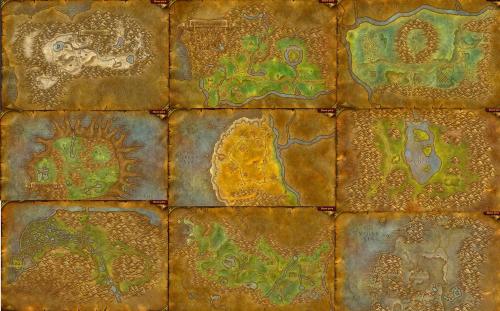 the 1-40(45) questing pack will include the 40(45)-60? and any eta? need beta testers?
- 85 comments
- 10 reviews