Bad Dude
Members
-
Joined
-
Last visited
Everything posted by Bad Dude
-
looks like the spawn rate have been fixed, was there for the last 10 mins and only 2 mobs appeared :'(
-
-
-
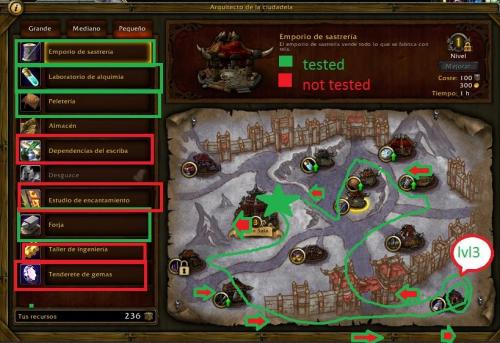
sure i'll post it for you, but as i said before, im new to making profiles, so in case it didn't work great dont hate me :P and if you need any help you can send me a message and i'll be glad to help start at the mines entrance lvl 3 mines garrison test mining.xml
-
thanks for the reply, i made one as a gatherer profile and it works great on all my characters with lvl 3 mines
-
i changed my settings as you said above, now my character just runs in mines without mining anything
-
-
Hello, i hope everyone is doing good :) would please someone teach me how to make a lvl 3 Garrison profile to farm mines and herbs or just teach me the first steps of making it and i can make my way around, i tried with Grinder and Gatherer but the character just keeps running into walls and doesn't really farm anything thanks in advance and wish you all a great day ^_^
-
<script type="text/javascript" src="/pagespeed_static/js_defer.pbrP1whUgE.js"></script> whats the easiest way to create a profile ? can you help me with that please ?
-
would you please share your profiles <3 im kinda noob with making new profiles, it would be great if you shared, or at least tell us how thanks in advance have a good day :)
-
Hello, I just tried the profile DroidZ posted above as a quester profile, my character just kept running into walls and didn't mine anything,, if anyone have any update plz post it here so we all can use it thanks in advance
-
how can i remove the spell Halo from Shadow Priest ? my toon keeps using it and pulling every mob in the area and gets me killed :p thanks for the great collection :)
- 23 comments
- 1 review
-
-

- 1
-
-
-
works great ! thank you so much
-
delete or add more info plz, i'de love to get a profile that helps me lvl up my 6 toons from 90 to 100 :( :p
-
have been running it for about 30-45 mins, started in orgrimmar with 3 pets lvl 2, kept lvling up pets till lvl 5-6, but then had to manually fly to Krom'gar Fortress to find pets lvl 5-7 but the bot kept going back to Northern Barrens any help/updates would be great, thank you so much
- 12 comments
- 3 reviews
-
-
- 1
-
-
Hello i've been fishing alot in the last few days trying to get 100 Lunkers for Nat Pagle, while i was fishing Nat always came to me and said something about drinking a beer ! i tried fishing totally drunk and i got a lunker ! so fishing while drunk makes the chance higher for catching lunkers, is there any chance we can add that to the bot ? oh and thank you for the great bot, its a life saver :)
-
-
did another test, started at garrison, same thing happened, ran to the same cords as above 56.80 32.28 and jumped there forever :p
-
the cave entrance is 65.55 36.90 started the bot there, 91 blood dk it moved to 65.81 32.28 ( near the mountains ) and got stuck there
-
id love to get that profile too, im just posting here to check in the future :)